


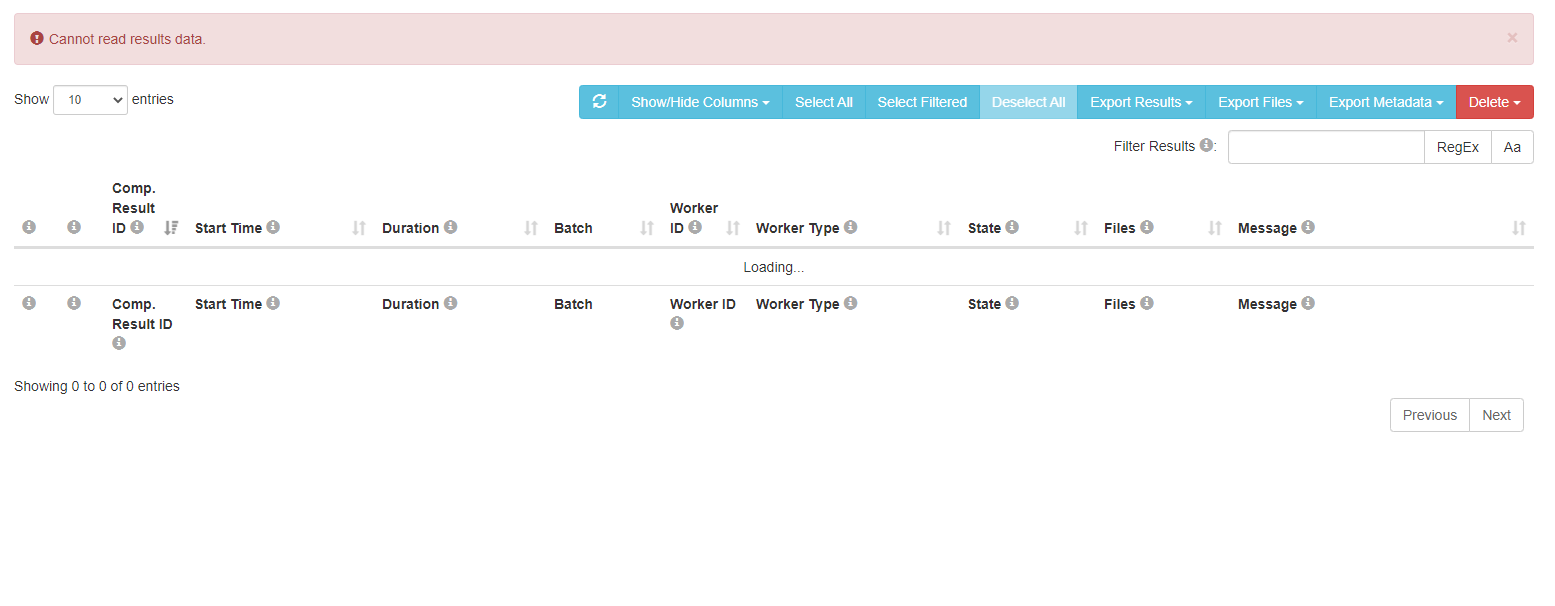
"Cannot read result data." after long "Working"

Hi everyone,
We have about 1500 results and we can't inspect them through the JATOS administrator dashboard.
We have a rather powerful virtual machine and a good internet connection, and we didn't have this issue with a smaller amount of results.
Anyone having a suggestion on how to download the results?
Comments
Hi Kian,
I've seen this before. I guess it has to do with your MySQL database setup. By default it limits the amount of data that can be loaded at once. JATOS' docs has a chapter about it:
Basically you (or your admin) have to adjust the max_allowed_packet to a higher value in your mysql.cnf. E.g. to allow 512MB use:
I also try to find a solution for this problem in JATOS but this will take a couple of days.
Best,
Kristian
@kri
Thank you for the quick reply Kristian.
We did all the steps mentioned by you (and our MySQL is not older than 8.xx) but didn't work.
We ended up downloading the results directly from the database.
Now we are experiencing the same issue with 800 responses.
We will go through the documentation again to check if we missed something while setting up the server and the database, but wanted to reply here in case you have a solution for it.
Thanks again for your time.
I'm sorry to hear you had to download your data directly from the database. This is annoying and JATOS is intended to make this unnecessary. May I ask how big your result dataset is expected to be altogether? I'm asking because there is an additional issue in MySQL that it by default loads all data into memory at once. If you have very large datasets then even a setting of
max_allowed_packetwon't help because it has a maximum of 1GB.It's planned for JATOS to change the way it queries MySQL so it does not load all data at once into memory. But I can't say yet when this will be released.
Best,
Kristian
@kri
Hi Kristian,
For a study that we have with 871 participants, the data size we are getting from the table ComponentResult is only 522 MB (we are only using the ComponentResult because this is where our data is. We know that normally JATOS is also querying some of the other tables as well thus trying to show in the dashboard more than 522MB).
We see that JATOS has pagination implemented in mind when we try to see the result via the drop-down menu "Show [10, 25, 50, All] entries", but it doesn't look like it is fetching the selected amount from the Database, and then when you go to the next page, the next amount and so on, but it appears that JATOS is trying to SELECT everything from the Database and then trying to visualize it on the admin dashboard.
Thank you very much for the hints. We hope to see that it is coming in near future.
Hi Kian,
Sorry for the late reply - some holidays came in the way.
For a study that we have with 871 participants, the data size we are getting from the table ComponentResult is only 522 MB (we are only using the ComponentResult because this is where our data is. We know that normally JATOS is also querying some of the other tables as well thus trying to show in the dashboard more than 522MB).
522MB is big for a database query, but should be possible with enough memory in the server and the receiving computer. Did you try to set
max_allowed_packetto 1GB?We see that JATOS has pagination implemented in mind when we try to see the result via the drop-down menu "Show [10, 25, 50, All] entries", but it doesn't look like it is fetching the selected amount from the Database, and then when you go to the next page, the next amount and so on, but it appears that JATOS is trying to SELECT everything from the Database and then trying to visualize it on the admin dashboard.
You are correct, the pagination setting changes only the number of results shown at once in the UI - but does not change the way JATOS queries the database. JATOS queries all result data at once which is actually a bug in Hibernate (a library used by JATOS; more about the bug). But I'm thinking about fetching the results in a different way which would circumvent the bug. This would also be paginated. Then the results are send via chunked HTTP to the client side and displayed. It's working beautifully in my dev version. But I can't yet say when this will be finished and go into a release.
Best,
Kristian
Thanks Kristian for the reply.
Yes, we also tried the max_allowed_packet to be 1GB.
Great, looking forward to having it as a release :)
Is there any chance that you could share your dev version with us?
Thanks again for all the support,
Hi Kian,
The updated result pagination changes are currently mixed in together with other stuff that not yet ready for release. But as soon as I extracted the result pagination changes I'll prepare a release and let you know. But the current Corona lockdown in the country were I live makes it difficult to work for me. So it might take a couple weeks.
Best,
Kristian
Hi,
I'm experiencing a similar problem, but with only 63 responses. Doesn't make sense that memory is an issue. Any idea?
Thanks!
Yoav
Solved by resizing the DigitalOcean droplet.
Thank you, Kristian,
We will happily be waiting for the new release.
Thanks again for all the support.
Best regards,
Kian
Hi Guys,
I have inherited looking a system with version 3.5.8 of Jatos using postgres and I have a user with this issue. I have tried increasing the shared buffers and work mem but that hasn't helped so far. Any tips on what else to try or is there possibly a configuration change required in Jatos itself?
Thanks,
Nathan
Hi @kri,
I did manage to get the system working with the buffer increases and increasing the number of connections, not sure which fixed the issue exactly or if it was both. I now have the same user with the problem again, and I am wondering if you can offer any tips or advice as the users number of results is much lower than those mentioned above (around 400).
Thanks,
Nathan
So by increasing the connections and buffers, plus restarting postgres and jatos, it is working again. Unfortunately I didn't think to just try restarting the services first. The dataset for this study is about 1.8GB, the same user was having an issue with other smaller datasets so I'm wondering if a restart would have fixed that.
Stopped working for this user again, would allow me to load results if I restarted Jatos, but then a non-descript error when trying to export all.
Hi Nathan,
First a hint, questions are more visible if you post each new question in its own forum thread. Don't add something to a question in 2024 that is from 2021.
Second, 3.5.8 is pretty old. I know it can be challenging to update a running system, but you should consider it anyways.
Third, JATOS isn't compatible with Postgres. You sure you aren't using a MySQL (or MariaDB)? Or the embedded H2 database.
Fourth, you just write "I have inherited looking a system with version 3.5.8 of Jatos using postgres and I have a user with this issue.". Can you please describe your issue again. It's also my time and going through the whole thread here and what has been written 3 years ago, is quite a drag.
Best,
Kristian