

How do I define a "correct mouse response" for OSweb?

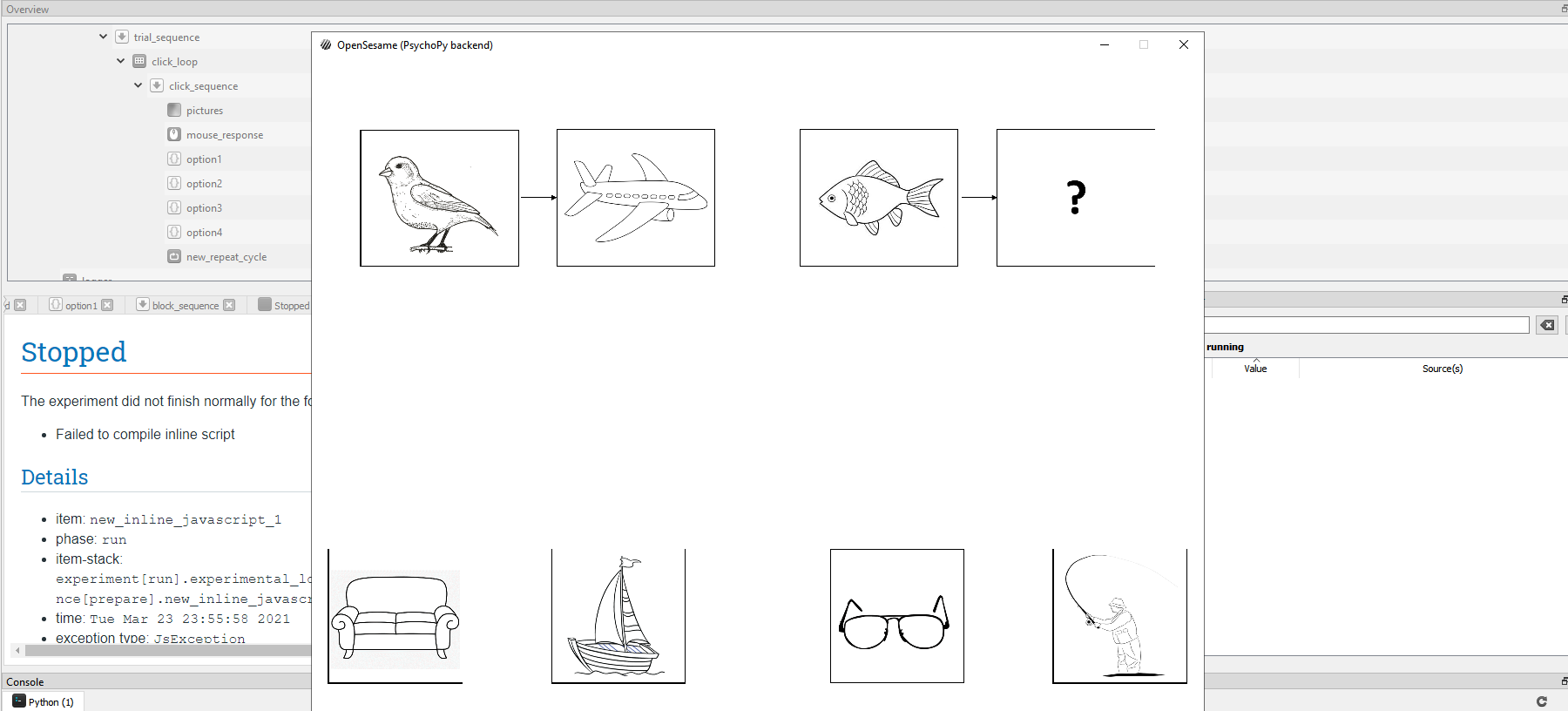
As you can see in the attached image I'm trying to generate a reasoning task with multiple choices. However, I couldn't manage to define correct response for mouse. Could you help me, I need to define correct response for my analysis it, thanks already.
Peace,
Metin.
Comments
Hi @meto ,
Could you upload the experiment?
Cheers,
Lotje
Did you like my answer? Feel free to

here is my experiment
https://drive.google.com/file/d/17NsdAz0oLoIE-h4x6AYHNjEpKz4rCKwV/view?usp=sharing
Peace,
Metin
Hi Metin,
When you mean define correct responses for mouse item, you don't mean the type of click you give, but the item that you select. Is that so? In this case, I think this tutorial of Lotje will be quite useful to you:
Eduard
Hi dear @eduard, no I didn't mean region of interest. I meant correct response for my analysis. My experiment has 4 multiple choices, but only one of them is correct and I have to define the correct response. Thanks you for your interest. :)
Peace,
Metin
So, you mean, you need to define which of the four images is the one participants should click at?
I guess the way to go is to define four fixed regions on the screen, and define which of the four is supposed to be the target. This you can easily do with the loop table with a variable that codes the correct field. Then, depending on the value for the correct variable, you assign the response alternatives to the fields, making sure that the correct alternative is presented at the location that is assgined as correct response.
I haven't checked your code in detail, but the general idea makes sense. For each field define the edge points, and check whether a click falls within the edges. You'll have for fields to check, but as you defined the correct field beforehand, you will know whether to code a response as correct or incorrect depending on which field was clicked.
Does that make sense?
Eduard
I defined four images, participants are allowed to click any option they want. However, three of them are false answers and one of them is the correct answer.
This task consist of 8 questions and the location of the options changes in every question
Thanks,
Metin
Hi @meto ,
Your script looks good! :)
You can do the following:
loopwhere you define the correct response. Note that, because "correct_response" is a built-in variable, you should use a different column header (I think OpenSesame will get confused when amouse_responseitem has a string as correct response)loopshould look something like below (note that I I just chose random images as correct ones, so you'll have to adjust that):inline_javascriptitems to determine whether the currently checked image ROI contains the correct image. For example, in the item called 'option1', the code becomes (see line 16-21):vars.start_x_resim1_roi = vars.x_resim1 - (vars.w_resim1 / 2) vars.start_y_resim1_roi = vars.y_resim1 - (vars.h_resim1 / 2) vars.end_x_resim1_roi = vars.x_resim1 + (vars.w_resim1 / 2) vars.end_y_resim1_roi = vars.y_resim1 + (vars.h_resim1 / 2) if ( vars.cursor_x >= vars.start_x_resim1_roi & vars.cursor_x < vars.end_x_resim1_roi & vars.cursor_y >= vars.start_y_resim1_roi & vars.cursor_y < vars.end_y_resim1_roi ){ vars.resim1_clicked = "yes" // IF resim1 contains the correct answer // AND the participant clicked on this image, // set correct to 1 if (vars.correct_picture == "resim1"){ vars.correct = 1 } } else { vars.resim1_clicked = "no" } console.log(vars.resim1_clicked)inline_javascriptitem to the trial_sequenceand placing the following line in itsRuntab:I attached an example (but as said before, please note that I didn't check the correct responses).
Cheers,
Lotje
Did you like my answer? Feel free to

PS: I noticed that your
loggerwas not placed at the correct place in the overview area. You should log the responses at the end of every trialsequence. Otherwise, only the information from the last trial will be logged. I changed that in the above-attached experiment.Did you like my answer? Feel free to

Thanks a lot @lvanderlinden for all of your helps. I did everything you said, including the 'logger' now the task runs smoothly and I can collect correct responses, thank you :)
Peace,
Metin