

Finding demographic text inputs (age and gender) excel data file

in OpenSesame
Hi,
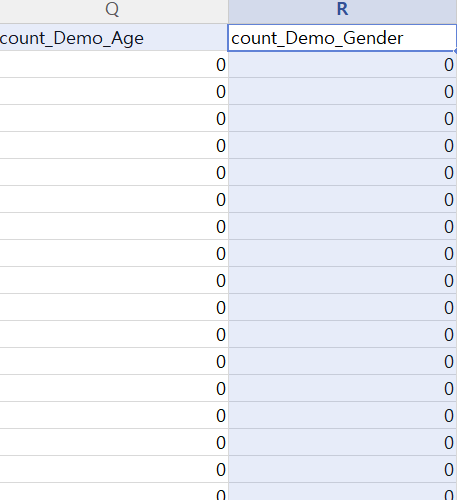
I ran my open sesame project and now I'm having trouble with finding the demographic text inputs (age and gender) in individual participants' excel data files:
As you can see, it returns as 0 in all the spreadsheets and I have no idea where to find the original text inputs.
Also, I would like to know how I could edit each file to make a uniform ‘male’, ‘female’, and perhaps ‘other’. Once I can find the text inputs, is it better to manually edit them or is there any other way you would recommend in formatting demographic information? (I got less than 50 participants)
Thank you!
Comments
And this is how I used form_text_input in open sesame for the demographic data.
Hi @nanabi,
It all depends on how you set up your questionnaire... The "count" variable is just that, a count It wouldn't contain the subject's response.
I attach here a basic demographics example for age and gender:
With the form set up in that way, you'll find the response in the logged data with each question on a separate row and the response in the "response" column:
Hope this helps!
Fabrice.
Thanks @Fab ,
I tried to look those columns in my data files but I seem to have lost all demographic data :(
Below are the codes used in my open sesame project. I don't think I used the "count" variable you mentioned and that might be the cause of this problem? Thank you.
set timeout infinite
set spacing 10
set rows "1;1;6"
set only_render no
set margins "50;50;50;50"
set form_var response
set form_title Demographics
__form_question__
Please type appropriate responses to these demographic questions.<p>
What gender do you identify with? Press ENTER to continue.
__end__
set description "A simple text input form"
set cols 1
set _theme gray
widget 0 0 1 1 label text="[form_title]"
widget 0 1 1 1 label center=no text="[form_question]"
widget 0 2 1 1 text_input focus=yes return_accepts=yes stub="" var="[form_var]"
Hi @nanabi,
The count variable is an automatically created variable for most objects. You do have it (it features in the picture you included in your first post).
I copied the code you sent above into a
form_multple_choiceitem and it does output the response: it's in the "response" column:I'm not sure how exactly your task is setup, so I can't tell what the problem may be. Your subjects' responses should be in your logged data. At any rate, didn't you check your task output before running your experiment with actual subjects? Was the response logged then?
Best,
Fabrice.
Thanks again @Fab ,
The main responses are keyboard responses and reaction time, and they have been recorded in our data files. But we seem to have lost all demographic (age and gender) data as they are not logged and we couldn't find them from anywhere...
Hi @nanabi,
Sorry to hear that the demographic data were nor recorded. Was this problem not detected when you tested the task before starting testing real participants? (i.e., did you make a change before launching the experiment?).
Not sure how your task is structured, but did you check that you introduced a linked copy of the logger at the appropriate place in your task?
Hopefully you can revisit the task and make sure that all the data are collected when beta-testing your next experiment.
Best,
Fabrice.