

Fail to (fully) transfer Data

Hello,
Our lab has faced similar problems as this post. Since we don't know what is "database's character, " therefore it doesn't seem to be the reason.
The version information we use are as followings:
JATOS 3.8.1.
OpenSesame 3.3.12
Period: from March 20.
Now our participants have faced these three main situation, they all reported to us their computer are stuck at the "transferring data" page for over ten minutes :
1. completed the study but data failed to transfer:
Result ID: 238987
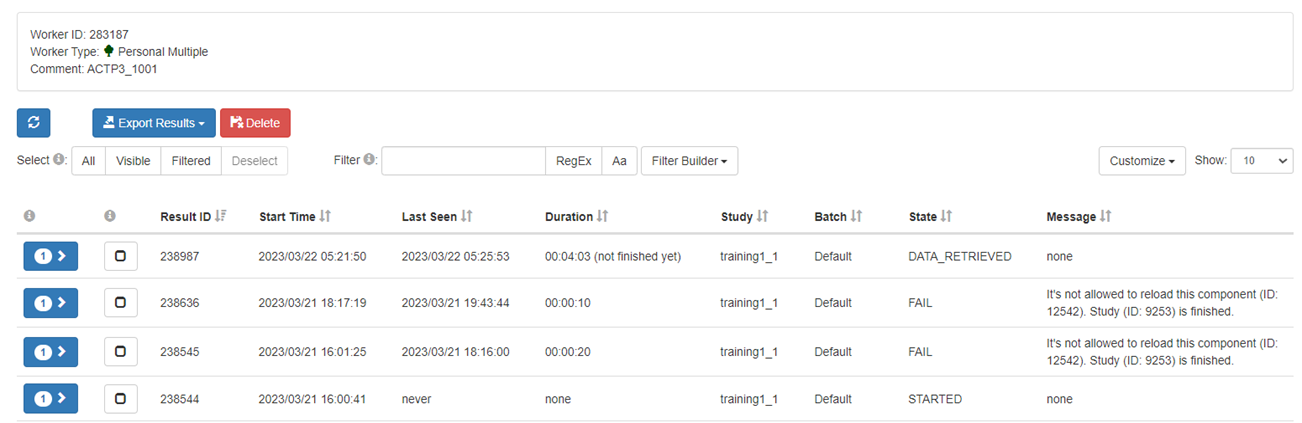
2. completed the study but data failed to fully transfer:
Result ID: 246317
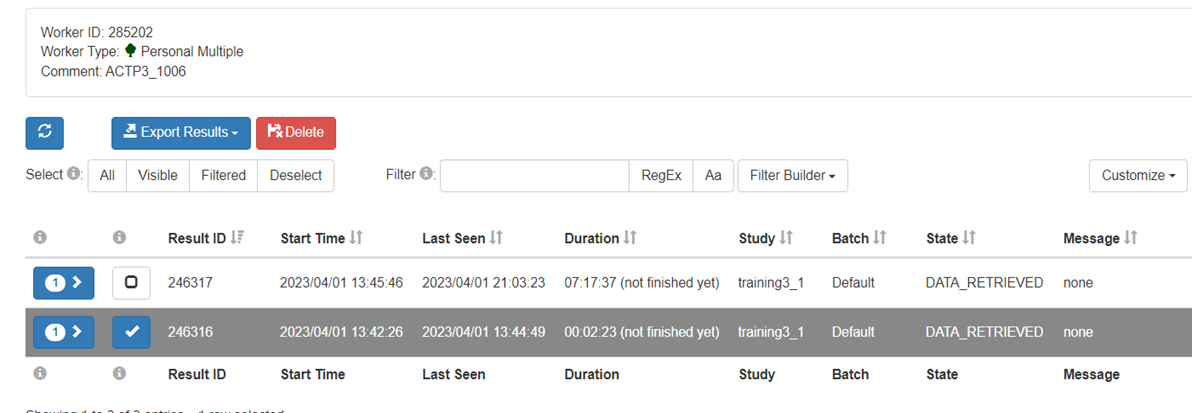
3. completed the study but stuck in the "transferring data" while finally transferring data successfully:
Result ID: 246033
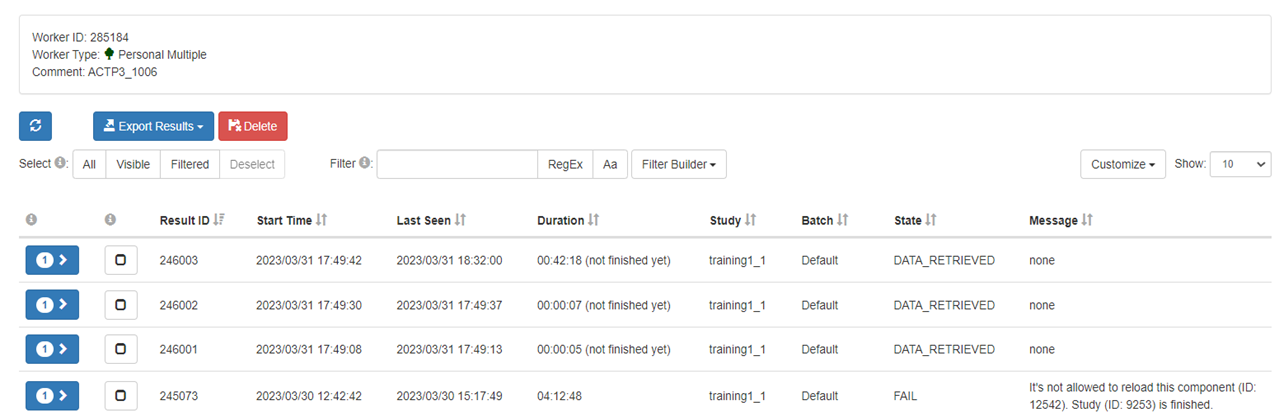
Let me know if there's any other information I can provide.
Thanks,
GUO
Comments
Hi GUO,
Difficult to say. But since some of your study runs do finish after a long "transfering data" my guess is that our data is either to large, or you sending data to often, or a combination of both.
How big is your data and how often do you submit them?
Best,
Kristian
Thanks for your quick response!!
The data is about 1800-1900 KB~
It's hard to count how often, but take the date April 1 (4月1日) for example,
there are 11 participants doing tasks, and on that date,
one of them (ACTP3_1006 in Image2) having transferring problem (Study ID:9253)
The data is about 1800-1900 KB~
That might be the reason if you sent the data often. Sending data often can overload the network and when you participants network connection is weak it can lead to exactly this behavior ("transfering data" for a long time).
A little bit of background about how JATOS handles data submission. jatos.js, JATOS' JavaScript library, puts all data submissions in a queue and sends them one after another. This ensures data arriving in the correct order at the server-side. It also guarantees if the data is submitted successful you can rely on it being stored in JATOS' database (in your case this sometimes does not happen and therefore your studies sometimes do not finish). But if your study tries to submit large data in short succession this queue might just fill up and the "transfering data" is shown.
This usually does not happen on your development computer since it probably has a good network connection and / or JATOS is installed locally. You can try to emulate such behavior. Every major browser has the possibility to throttle the network. E.g. in Firefox open the Developer Tools -> Network -> Throttling and choose some slow network (e.g. 3G or 4G). Then run your study and see if the "transfering data" appears and how long. You can also monitor the network traffic in your Network view.
Best,
K.
Hi kri
Thanks for your detailed explanation and suggestion. We will try to test in the way you suggest.
However, our group has a big question is that we do the same experimental schedule from January to February this year (as the picture shows), but at that time there is no such transferring problem. We noticed that Jatos has updated to the latest version on February 28. Is there any possibility that the problem is concerned with the compatibility between Jatos and Mindprobe?
Let me know if there's any other information I can provide.
Thanks,
GUO
Hi GUO,
The changes between the former version on Mindprobe, 3.7.4, and the current version 3.8.1 are mostly around the JATOS API. The JATOS API is mostly about study export/import, result fetching, and administration - it is not about study runs and anything that touches participants. So it's is not impossible that the update has an effect on your participants but I think it's unlikely.
Best,
K.