


Multiple components study in Jatos doesnt run next component

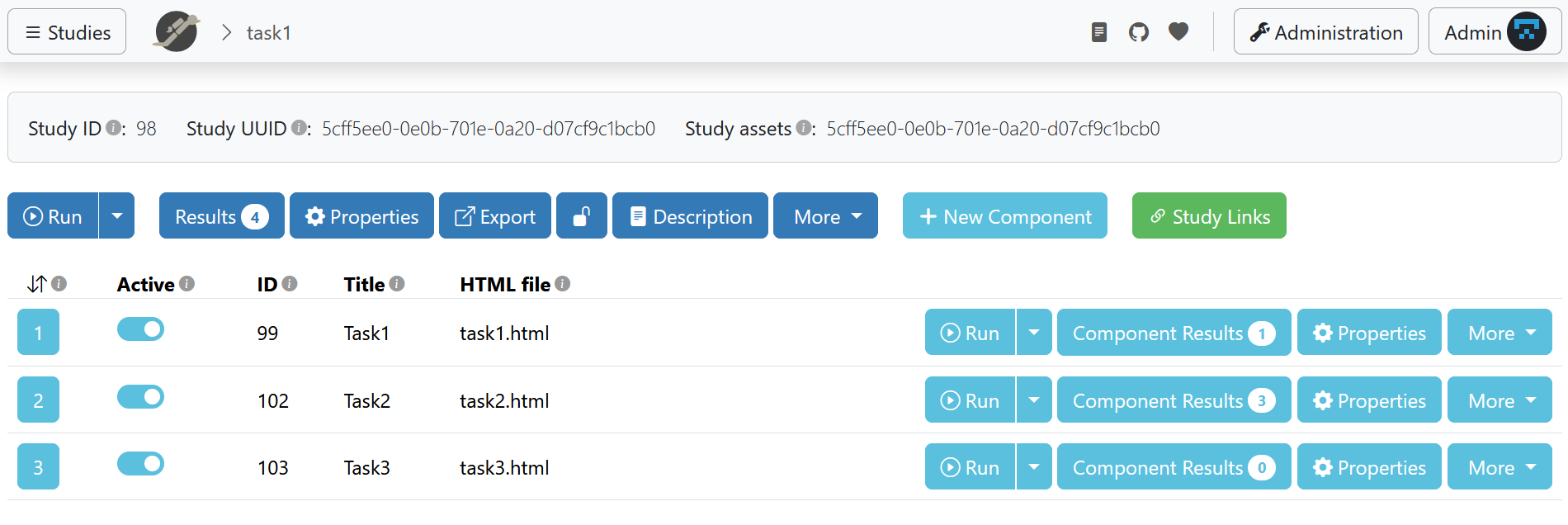
My objective is to create a study comprising multiple components, developed with OSWeb (three tasks) and featuring external links (two questionnaires). I will then upload this study to MindProbe for Prolific diffusion.
As it seems that it is not possible to manage the components directly from MindProbe, but only locally (to access the study assets folder), I installed JATOS Win Java on my PC and used the localhost9000 JATOS server.
For now, I have created three fake tasks to test the components and check how they link to each other.
However, while component 1 jumps to component 2, component 2 never jumps to component 3.
When muting task 2, however, it works well from task 1 to task 3 and the studies are displayed. This is not related to the tasks, as I also tested random task numbers; the problem lies with the serial position of 2 in the component order.
I followed the procedure indicated here: https://www.jatos.org/Combine-two-pre-written-studies-into-one.html and the changes in the html files here:
https://www.jatos.org/Write-your-own-Study-Basics-and-Beyond.html
I created the tasks in Opensesame and exported them as separate JZIP file. From the JATOS local GUI, I imported the studies separately to create three different studies, each with one component.
This created three folders in my Jatos local folder. From my study assets folder, I copied and pasted:
1) only the HTML files for tasks 2–3, from their study asset folder, into the task 1 folder;
2) the full repertoire for both tasks into the task 1 folder. Neither of these worked, and sometimes studies 2–3 don’t even launch, staying on the 'OSWeb Loading studies' page.
and 3) I directly exported the html files from OpenSesame "Save as autonomous html file". On Jatos, this method worked better as the tasks could be run.
Is there an easy way for me to create this multi-component study ?
I have been trying to make it work for days, and I even asked a colleague, but now I am stuck.
Thank you very much for your help with this.
Comments
Hi AwaAwa,
if possible, can you send me all the jzips of your studies that you'd like to combine to one study and the jzip of your combination attempt? I can have a look at it.
Best,
Kristian
Dear Kristian,
Thank you for your response! I attached the documents in this repository.
(It's stange but I cannot upload the jzip with my comment as an error appears " request failed with status code 413").
Hi AwaAwa,
I had a look at your study. I had to clean up the code a little, somehow you accidentally loaded jatos.js twice. I don't know much about OSWeb but with the help of some AI I think I could pinpoint your problem.
In task2.html and task3.html you define an
onFinishedHandlerthat does not call any jatos.js function, e.g., does not calljatos.startNextComponent. This is how it looked:function onFinishedHandler(data, sessionData) { document.getElementById('osweb_div').style.display = 'none' // The data is downloaded by creating a link and programmatically clicking // it const logdata = JSON.stringify(window._logdata) const element = document.createElement('a') element.setAttribute( 'href', `data:text/plain;charset=utf-8,${encodeURIComponent(logdata)}`) element.setAttribute('download', params.logfile) element.style.display = 'none' document.body.appendChild(element) element.click() }And this is a version that calls
jatos.startNextComponent:function onFinishedHandler(data, sessionData) { document.getElementById('osweb_div').style.display = 'none'; // Get the log data as a string const logdata = JSON.stringify(window._logdata); // Check if we are running inside JATOS if (typeof jatos !== 'undefined') { // 1. Submit the results to the JATOS database // 2. Once successful, move to the next component jatos.submitResultData(logdata, jatos.startNextComponent); } else { // Fallback: The original OSWeb behavior for local testing const element = document.createElement('a'); element.setAttribute( 'href', `data:text/plain;charset=utf-8,${encodeURIComponent(logdata)}`); element.setAttribute('download', params.logfile); element.style.display = 'none'; document.body.appendChild(element); element.click(); } }I changed this in task2.html and task3.html and it worked. There might be a better way to achieve the same directly in OpenSesame / OSWeb that I just don't know about.
Here is the repo cloned with the changes in
main_task.jzip: https://github.com/kristian-lange/evavivesI hope this helps.
Best,
Kristian