


simultaneous-image-video-and-sound-presentation

Hello together,
I want to present a video and some images together simultaneously on one screen.
I've looked for a topic like that in the forum and found this one:
So I adapted the paths and created an inline script with the code I found in the link above.
But when I executed the experment I received an error.
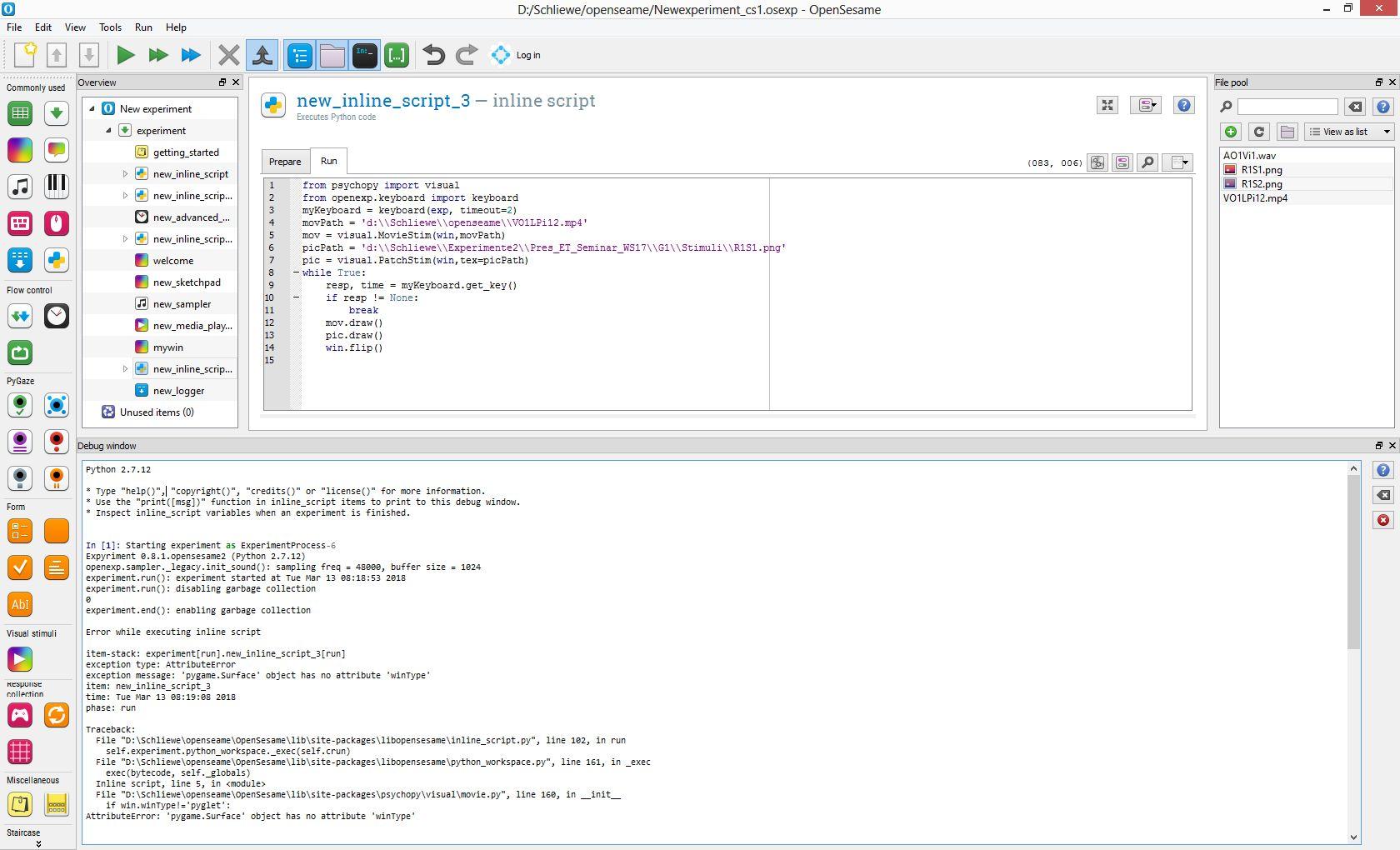
You can see the structure of the experiment and the error-message in the debug-window in the attached image file.
I think the problem may be that openseame does not know in which window it should display the images and the video.
But I don't know how to program this (make a reference for example to the "mywin"- sketchpad defined before the inline script)
The installed openseame version is the "opensesame_3.1.9-py2.7-win32-1.exe" on a windows 8.1 machine.
Have anybody an idea to realize this ?
Best,
Carsten.
Comments
Hi there...
I found out the last days how to fix this issure:
First I had to do was to install OpenCV. You can get it from here:
https://opencv.org/opencv-3-4-1.html
I used the Windows self-extracting archive. How it is installed is described here:
http://opencv-python-tutroals.readthedocs.io/en/latest/py_tutorials/py_setup/py_setup_in_windows/py_setup_in_windows.html
Some remarks about the installation:
Please don't install a separate Python27. Copy the "cv2.pyd" to the openseame Python Path, in my case:
d:\Schliewe\openseame\OpenSesame\Lib\site-packages\
You find the "cv2.pyd" when you had extracted the archive you got from the first link
You can find "Idle" in my installation here:
d:\Schliewe\openseame\OpenSesame\Scripts\
Then choose in Openseame under "New experiment"as Backend "legacy".
Insert a new "Inline_script" and paste the following code in the Run-Section:
Be sure that the video and the image are in the filepool.
Thats it...
Best,
Carsten