


How to make a smooth animation using inline scripts?

in OpenSesame
Hello everybody,
I am trying to animate a ball so that it moves across the screen. I am trying to do this by using an inline script.
I use the following function to draw the image of the ball on a new position:
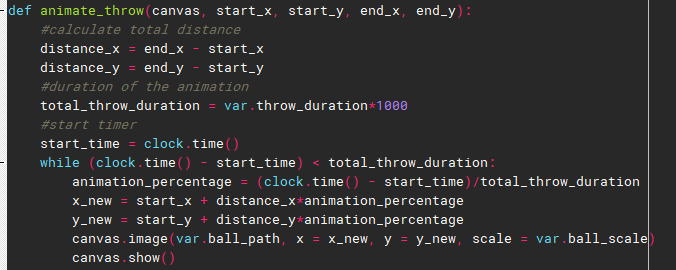
but this leads to a "trail" of images, as can be seen below:
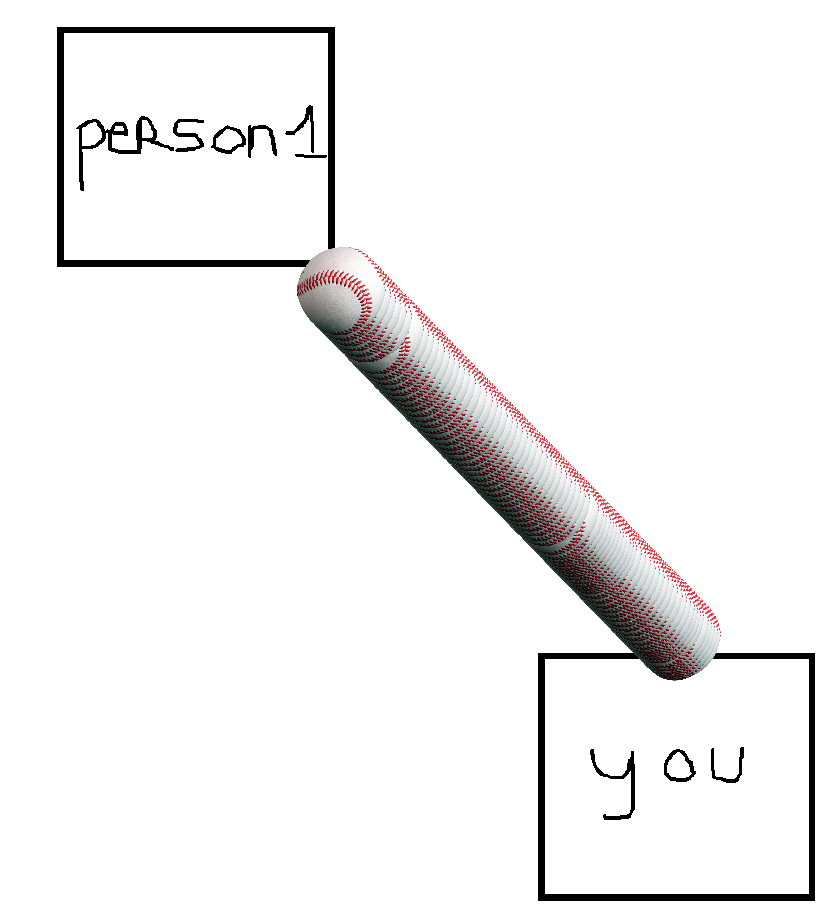
I've tried to expend my function by drawing a white square after I've drawn the ball, but this leads to a flickering effect.
So my question is, what is the correct way of doing this? I will look into drawing a new canvas each time, but I'm afraid that this will lower the refresh rate.
Comments
Hi,
You can use the command
canvas.clear(), inside the while loop. That deletes the previous canvas on every iteration, so that only the current canvas appears. Can you try this? If it doesn't work nicely, there is another trick that smooth things out.Eduard
Dear @eduard ,
When I use the canvas.clear() function it works, but it is quite "stuttery". I think the refresh rate is too low to create smooth movements. Any idea how I can increase the refresh rate aside from making the animation slower?
Dear @eduard ,
I also get the following warnings sometimes:
Which indicates that canvas.show() has sometimes troubles with consistent showing. This can also be seen in the original figure I posted where you can see that 2 times the ball "moved" further than usual.
The problem is that you call canvas.image() on every loop iteration. This is quite an expensive operation, so whenever possible try to avoid it. I attach an example that makes use of named canvas elements. I hope this helps.
Eduard
Dear @eduard ,
Quite a convincing example, I'll look into it.
Many thanks!
@eduard ,
It works perfectly!
I'll just copy my code here so that if somebody else has the same problem, they can look at it here.
Step 1: Initialise the image:
Step 2: Change the x and y coordinates of this image:
Or, if you use a function for the animation:
which can be called like this:
Hi @gvh , thank you very much for sharing! :)
Did you like my answer? Feel free to

@lvanderlinden , nothing more frustrating than finding a thread with your exact problem where the last message is "Thanks, I fixed it!" with no explanation