


Why is it that when I click "quick run" it works, but when I click "run in browser" it gets an error

I did a simple experiment, using inline_script insert statement to control the experiment time: exp.start_time =self.time (), and in the loop break if set = self.time-self. get('start_time') >= 120000.
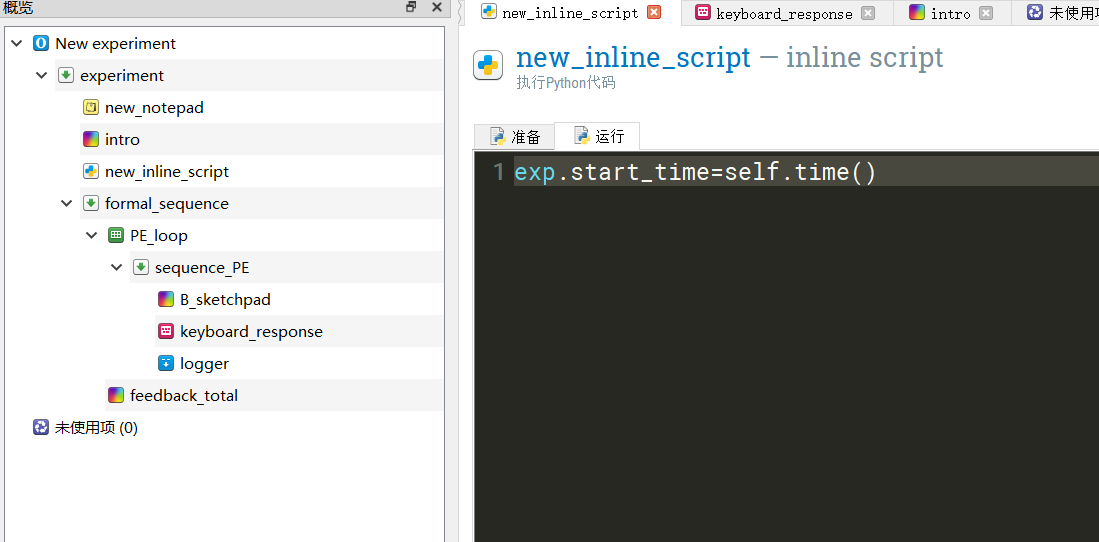
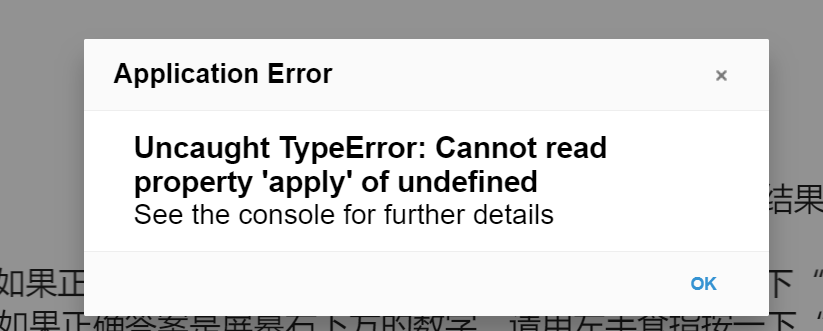
However, in the process of testing, I found that "Quick Run" could be used, and the test in OSWeb would report an error. What is the problem? Thank you!
Comments
Hi @DDD ,
Python
inline_scriptitems are not supported in OSWeb, the OpenSesame extension for running experiments online:Instead, you could using
inline_javascriptitems.So if you are running a study online, by using OSWeb, you should transfer your Python code to JavaScript. To get the current time stamp, for example, you could use the following script in an
inline_javascriptitem:Does this help?
Cheers,
Lotje
Did you like my answer? Feel free to

Hi, Lotje:
I've tried your method, but it still doesn't work. Can I write the break if statement like this? Is it an error in break if?
Thank you!
HI,
It would be much easier to help you with your problems if we had an error message. That way, we could narrow down the problem to where in the script/sequence the problem occurred. In firefox, you can see the error message, if you open a console before running the experiment by pressing CTRL+SHIFT+C
Can you try to find an error message and post it here?
Can I write the break if statement like this? Is it an error in break if?
I am not entirely sure, but I don't think so. I recommend you do following thing
"[duration]>120000"But again, if we see an error message, we can have a closer look on what is happening. Alternatively, you can also share your experiment here, and we can have a look directly there.
Eduard
Hi @DDD ,
Sorry, I missed your post, but luckily Eduard helped out. Just to follow up:
Can I write the break if statement like this? Is it an error in break if?
No, this
if-statementindeed won't work. If you precede an if-statement with the "equal" ("=") sign, this means that some Python script will follow. And Python script is not supported in OSWeb.Eduard's solution will work fine, because here the
if-statementis written in OpenSesame script, by using the square-bracket notation.Hope this clarifies it a bit.
Cheers,
Lotje
Did you like my answer? Feel free to
