


JASP Data editing?

I am new to JASP and I have absolutely fallen in love 😍with this software.
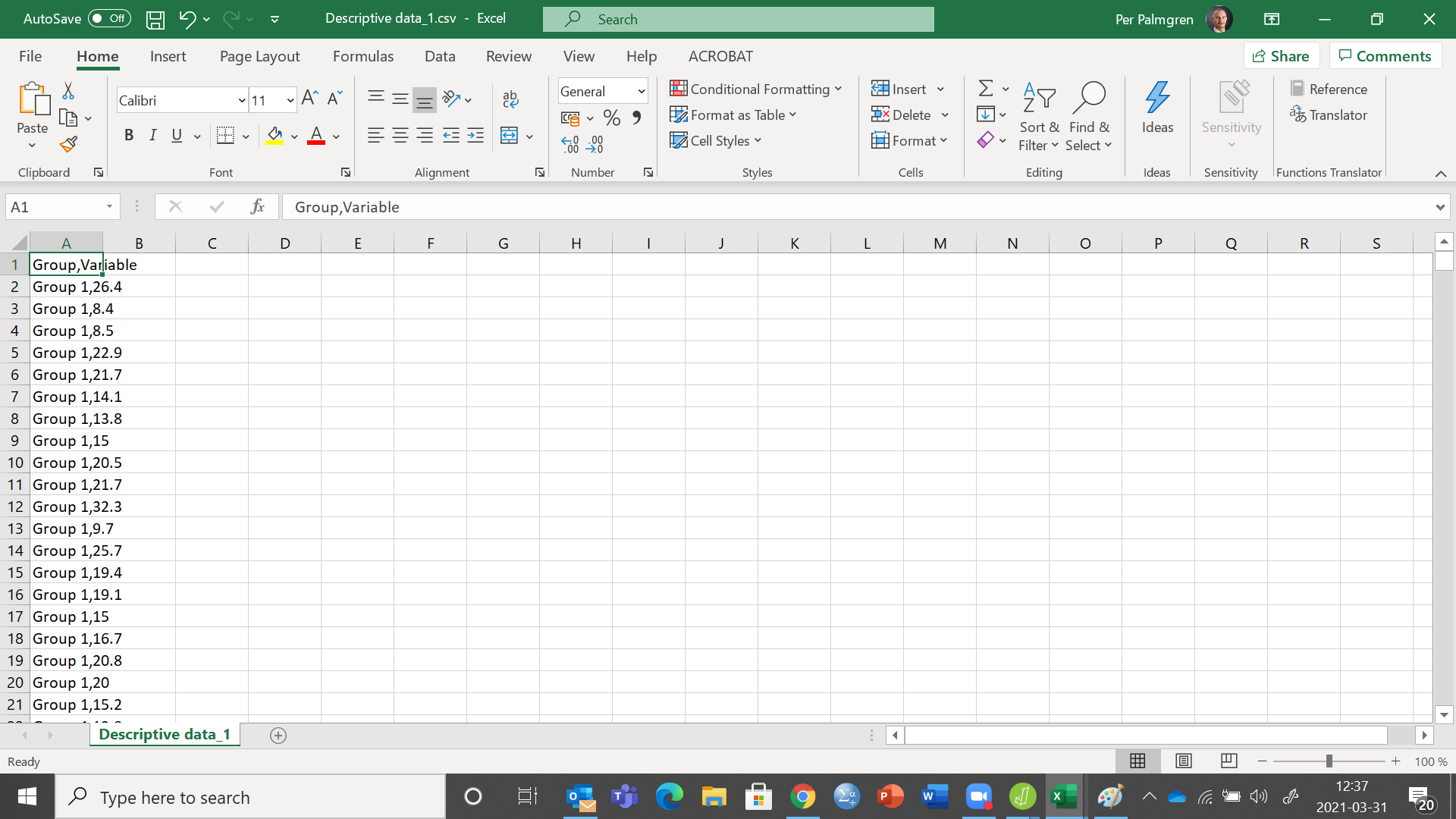
As being an old SPSS user I am not use to using files with CSV format. When I am inside JASP and I want to edit data using "data synchronization" by double clicking. My file is displayed as CSV but with very strange columns (se below) making it difficult to edit data. What must I do to get my CSV file to look "normal" like in the JASP tutorials ?
Thanks for replying 😉
Comments
Somehow Excel puts everything in one column; it does not respect the comma as a field separator. I am sure you could change that setting somewhere. If you google
excel use comma as separator
you should get some good advice
E.J.
Great😀 and thanks 🙏. I found it. I could change this by going through Text to Columns and delimit it to commas and not semicolon. (see below)
All the best
Per
Good to hear!
E.J.
Hi there!
Do I understand correctly that, to edit a JASP file that was created by opening an SPSS file, I need SPSS? I seem to be unable to get JASP to edit a dataset by anything other than opening SPSS (for which I don't have a licence).
Thanks so much!
Heiko
Hello Heiko,
We are working to include data editing and hope to release this functionality in 0.17. If you Google "JASP nightlies" you'll get to a page where you can download unofficial versions (no guarantees, some analyses may fail, and the version are not notarized) -- there is a version called "dataMode" and that has some editing functionality.
Alternatively, you could select "Export data" and save your data as a csv file, which you could edit with just about any text editor or spreadsheet program (e.g., the open-source Calc from LibreOffice).
Cheers,
E.J.
Hi EJ, any news on data editing inclusion process?
You could use the free SPSS alternative PSPP (https://www.gnu.org/software/pspp/) to edit SPSS files (.SAV)
I use this and double clicking to enter data in JASP automatically opens up PSPP.
Leigh
One of our core programmers is working on this full time. We'll do an interim release in May and then this functionality is next -- before the summer (99% sure).
E.J.
Hello EJ,
How is it now about editing a .SAV file in JASP ? My tutor suggests I try to see if I get the same results as an SPSS file she sent me to see if I can find the same results on JASP (as I don't have an SPSS licence and I'm at a distance at the moment). But the problem is that when I try to open the .SAV file in JASP, there is an error display which says that JASP is not able to open this kind of file.
What would you suggest I do ?
Thanks by advance,
Augustin
If you go file -> open inside JASP, you should be able to open .sav files. If it does not work, please open an issue on our GitHub page to let the programmers know.
Cheers,
E.J.