


Import properties from JSON file

in JATOS
Hello Jatos team,
First a big thank you for creating such an amazing server. It helps us focus on what really matter.
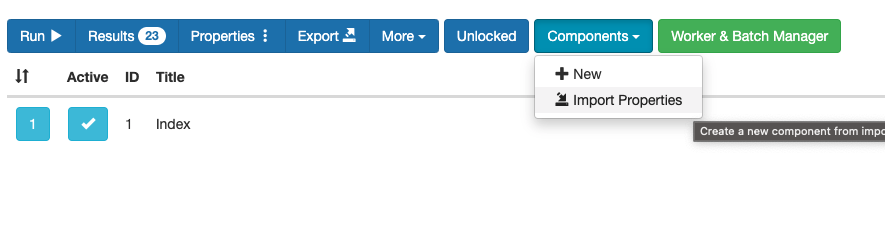
Recently, I have created a study and I would like to use JSON input field in the study properties. In my setup, the JSON is pretty big and sometimes it can lead to errors if it is not correctly copied. I discovered the "Import properties" button which I assume will let me import the JSON files containing the properties that will be set in the "JSON input" of the study. But when I try the import function on the validated JSON file, I get an error "Couldn't read JSON string". I have attached the screenshots of the same.
Am I using this function correctly? Is there a way to import properties from files?
Thanks in advance.
Saurabh

Comments
Hi Saurabh,
Actually the "Import properties" button lets you import the whole component properties (!= study properties) in JSON format and that includs the "JSON Input". It has an easy schema. Here is an example:
{
    "version": "1",
    "data": {
        "uuid": "15287b49-d9e1-4d20-85c8-a412c9ac2075",
        "title": "Tests",
        "htmlFilePath": "tests.html",
        "reloadable": true,
        "active": true,
        "comments": "",
        "jsonData": "{\"a\":\"test\",\"b\":5,\"c\":[1,2,3],\"d\":{\"e\":\"foo\",\"f\":\"bar\"}}"
    }
}
You have to put the "JSON Input" into the
jsonDatafield. And don't forget to escape the quotes.But usually it is not necessary to import it. Copy-paste the "JSON input" into the study or component properties usually works just fine. How big is your JSON. If it is really too big you can also consider putting it into an extra file and loading it in your JavaScript.
Best,
Kristian