


[Solved] Adding a break after each randomised block - Run for all main blocks except the last one

I am trying to compile an AXB experiment with sound stimuli. Although it has been a steep curve, in the end I managed to have something that one could call a satisfactory result.
However, the experiment needs to present randomized blocks to participants. Lotje's solution in another thread seems to work perfectly for this. I even adapted it in order to introduce some warmup trials before each main block.
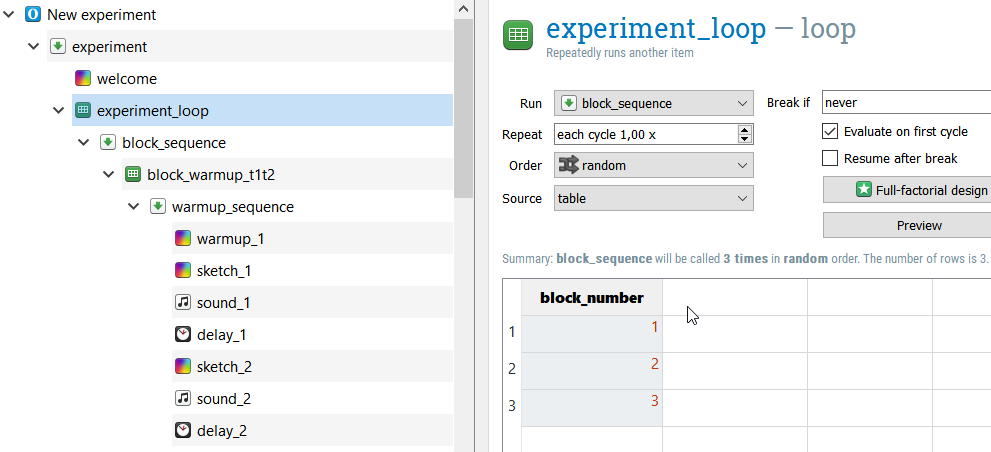
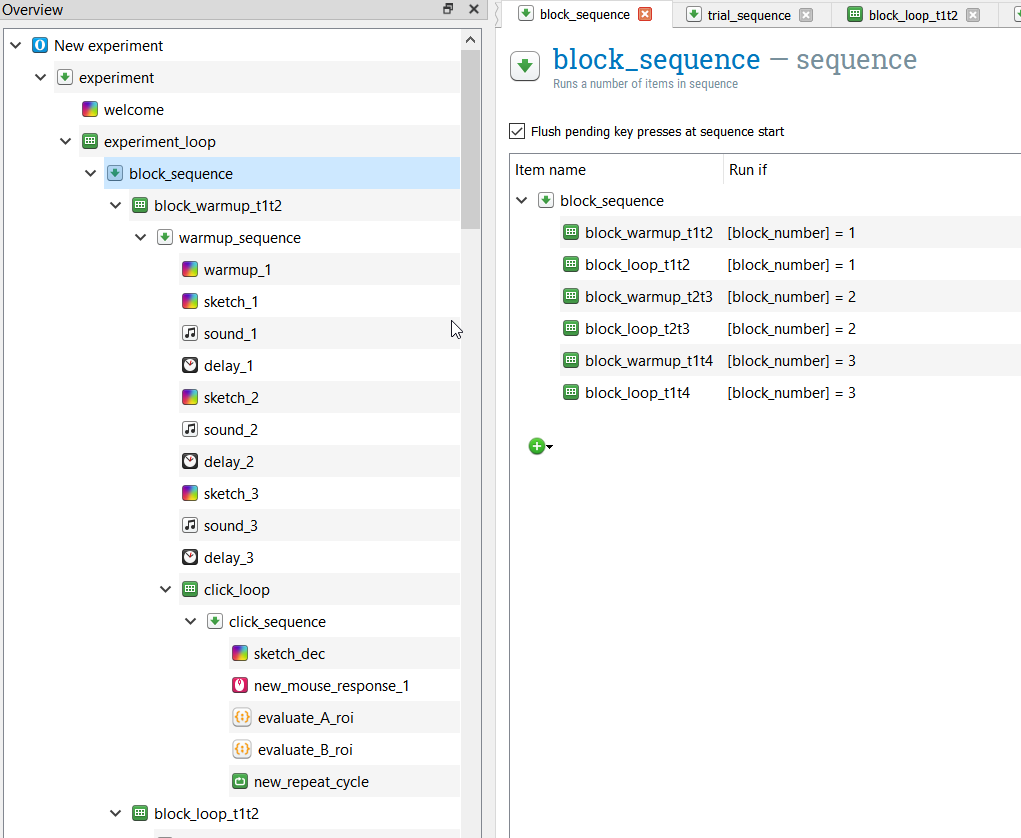
However I also need to stop the session for a small break after each main block. I could of course add three other loops and add them in the block sequence and have them run depending on the block_number as above, but the problem is I don't want it to run for a third time because at that time the experiment should end.
Maybe a way to implement this is by introducing a variable that increases after each block is run and should be below a certain value for the break blocks to actually run, but I am not sure of how to implement this.
I am also attaching the experiment for your reference.
Thank you in advance for any help.
Comments
Hi @apodim,
I couldn't download your task (for some reason, my antivirus blocks it) but based on your description, couldn't you add the break (e.g., a sketchpad instructing subjects to take a break) within the
experiment_loopand insert[block_number]<3as the "Run if" condition? That should ensure that the break runs after blocks 1 and 2, but not after block 3.Does that help?
Fabrice.
Hi @Fab ,
Thanks for taking the time to answer!
The problem is that
the blocks are not presented in sequence but they are randomised in the experiment loop through the block_number variable. So block 3 might come first, second, or third.
Sorry about the task being on a hoster. I tried to upload it here several times but it keeps failing. Maybe the antivirus does not like its extension or the website it is hosted on. I am uploading it again on send (fork of the now defunct firefox send).
Hi @apodim,
Ok, now I get it (I thought that your
block_numbervariable was actually a counter).Ok, so what you want to do in your case is indeed to implement a counter that gets incremented every time your
block_sequenceruns. It's actually easy to do. Since you're using javascript code instead of Python, I implemented the solution in Javascript.Here's the logic:
(1) you set up a variable (I called it blockcounter) to 0 at the onset of the task:
(2) you increment that counter by one unit every time the block_seuqence runs:
(3) you make sure that whatever sketchpad etc. you're using to implement the break in the task is set with a Run if condition : [blockcounter]<3.
That's it! Try it out. It should work. You can download my modification here:
Hope this helps!
Fabrice.
PS: I think the forum doesn't let you upload the task directly because it is greater than 1Mb in size.
Hi @Fab,
Forgot to tell you that it works like a charm. It even inspired me to write a snippet to calculate accuracy.
Thank you very much!
Dimitrios
@apodim
Hi Dimitros,
Great, glad it's working!
Good luck with your experiment!
Fabrice.