


Set random value with inline

in OpenSesame
Hallo all,
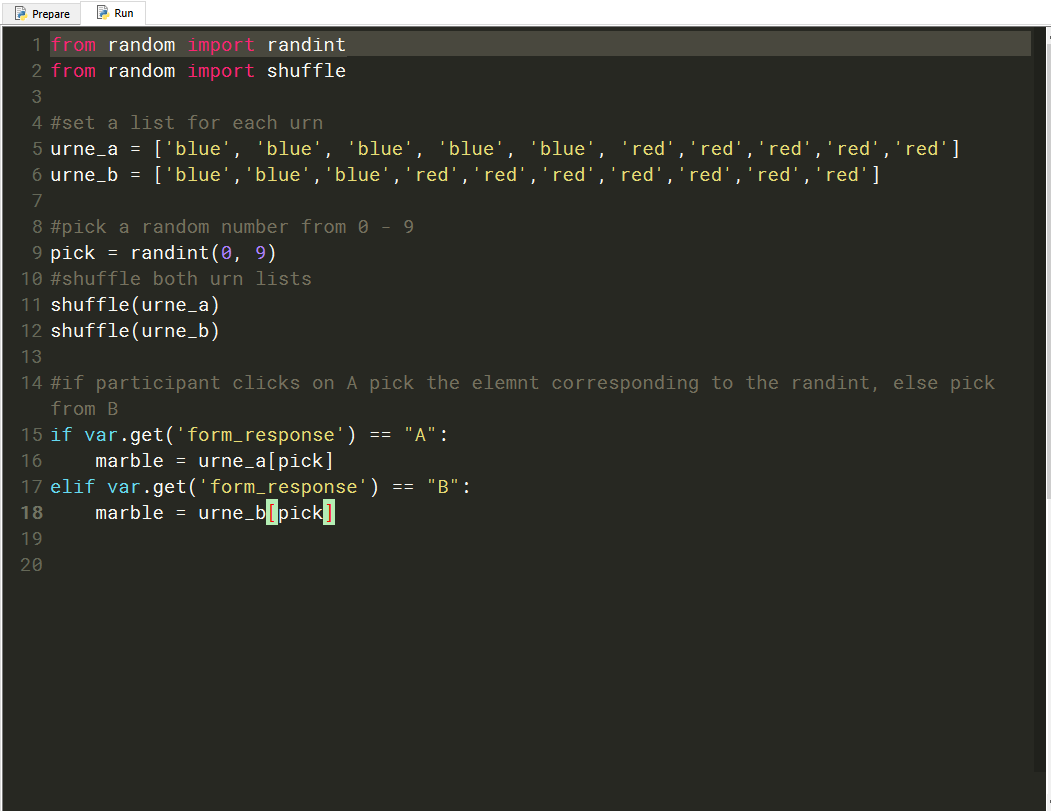
i am new to OpenSesame, and am trying to programme an experiment in which participants choose an urn - A or B - nad based on which urn they choose, a colour - blue or red - is randomly selected.
So far i have a custom form with two buttons for A and B. After the custom form i have an inline which should do the following:
- shuffle two lists - one for each urn
- randomly pick an number from 0 to 9 and store it in the variable 'pick'
- pick a value, i.e. colour, from the urn list depending on whether participants previously clicked on A or B and store it in the variable 'marble'
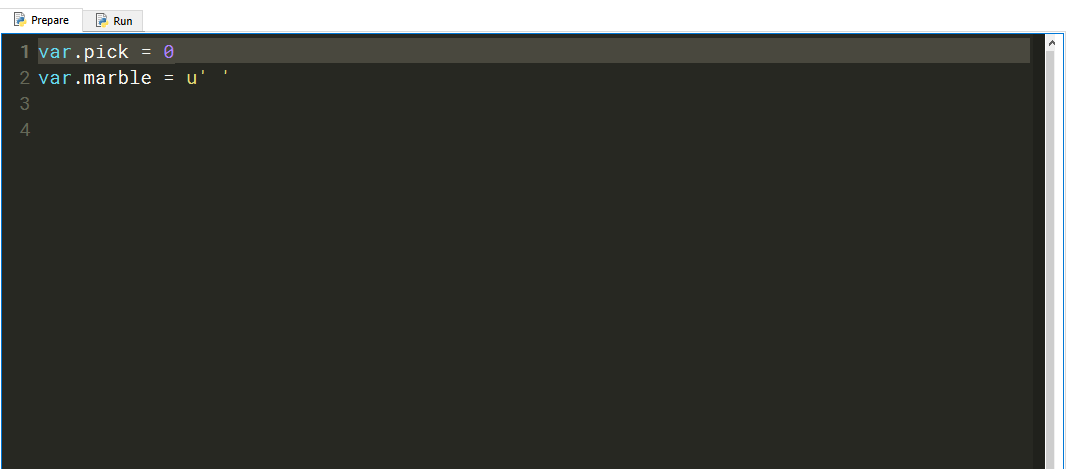
Unfortunately this inline does not work. I logged the pick and the marble variable, but the inline does not seem to work, since the pick variable always shows up as 0 and the marble variable remains emplty.
I have added screenshots of the inline below. A copy of the experimental file is also attached, incase that might help.
I wold be very greateful for any help.
Thanks :-)
Comments
Hi tasi,
can you try again, but replace
pick=randint(0, 9)withvar.pick=randint(0, 9)and likewise
marble=urne[var.pick]Does that solve the problem?
Eduard
Hi eduard,
thanks for you reply. I tried it the way you suggested, but it doesn't work either. The marble variable is still emplty and the pick variable zero in the excel output/logfile.
Cheers,
tasi
Hi Tasi,
See the attached experiment. The form response was not collected the way you thought. Hope this helps.
Eduard
Hi @tasi,
I'm not familiar with forms but I believe that your code presents a couple of problems...
(1) Use
var.form_responseinstead ofform_response. If you printresponse_formto the console, you'll see that OS tells you that this variable does not exist.(2) If you'd like the picked marble to be saved in a variable you can use outside the Python code object, use
var.marbleinstead ofmarbe.I simplified your code below and it seems to work:
import random

urne_a=['blueA1','blueA2','blueA3','blueA4','blueA5','redA6','redA7','redA8','redA9','red10']
urne_b=['blueB1','blueB2','blueB3','redB4','redB5','redB6','redB7','redB8','redB9','redB10']

pick=random.randint(0,9)
random.shuffle(urne_a)
random.shuffle(urne_b)

if var.form_response == "A":
     var.marble = urne_a[pick]
elif var.form_response == "B":
     var.marble=urne_b[pick]
I attached a modified version of your task where I display the value of marble on a feedback sketchpad. To make sure that the marble is selected from
urne_aorurne_bcorrectly, I labelled the elements of these differently (blueA1, blueA2, etc. Just to check it is working. Just change it back to the initial values.Hope this helps!
Fabrice.
Hey Eduard,
thanks so much. this works! the data file now shows values for the 'pick' and 'marble' variables. Thank you :-)
I do have another question, if that is okay, i want to use the 'marble' variable on the next screen in some text to let the participants know what colour they picked. according to this documentation (https://osdoc.cogsci.nl/3.2/manual/stimuli/text/)it should be enough to include the variable in square brackets. however when i do that nothing appears. if i use [var.marble], then '[var.marble]' shows up as a text string.
i am wondering if i am perhaps calling the variable incorrectly?
Cheers, and thanks again for your help :-)
tarini
hey @•Fab
sorry i didn't see you post before my reply above. thanks for your help! showing the value of marble is exactly what is want to do, so thanks yo much.
please ignore my previoous post!
thanks :-)
Use
[marble]instead of[var.marble]And use a feedback item instead of a sketchpad
@Fab and @eduard
thank you both so much for your help! it works now :-)
cheers,
tasi