


Formatting form_multiple choice

Hello everyone,
I am currently creating a simple arithmetic fluency task for first-grade students using OpenSesame on OSWeb (we are planning to use iPads to collect the data). Basically, the students see a problem and need to select an answer from 1 to 10, and once they decide on the answer, they need to click OK to proceed to the next problem. There is a 6-second time limit to answer each problem, and if they don't answer it on time, it moves on automatically. We are interested in their answers and response time.
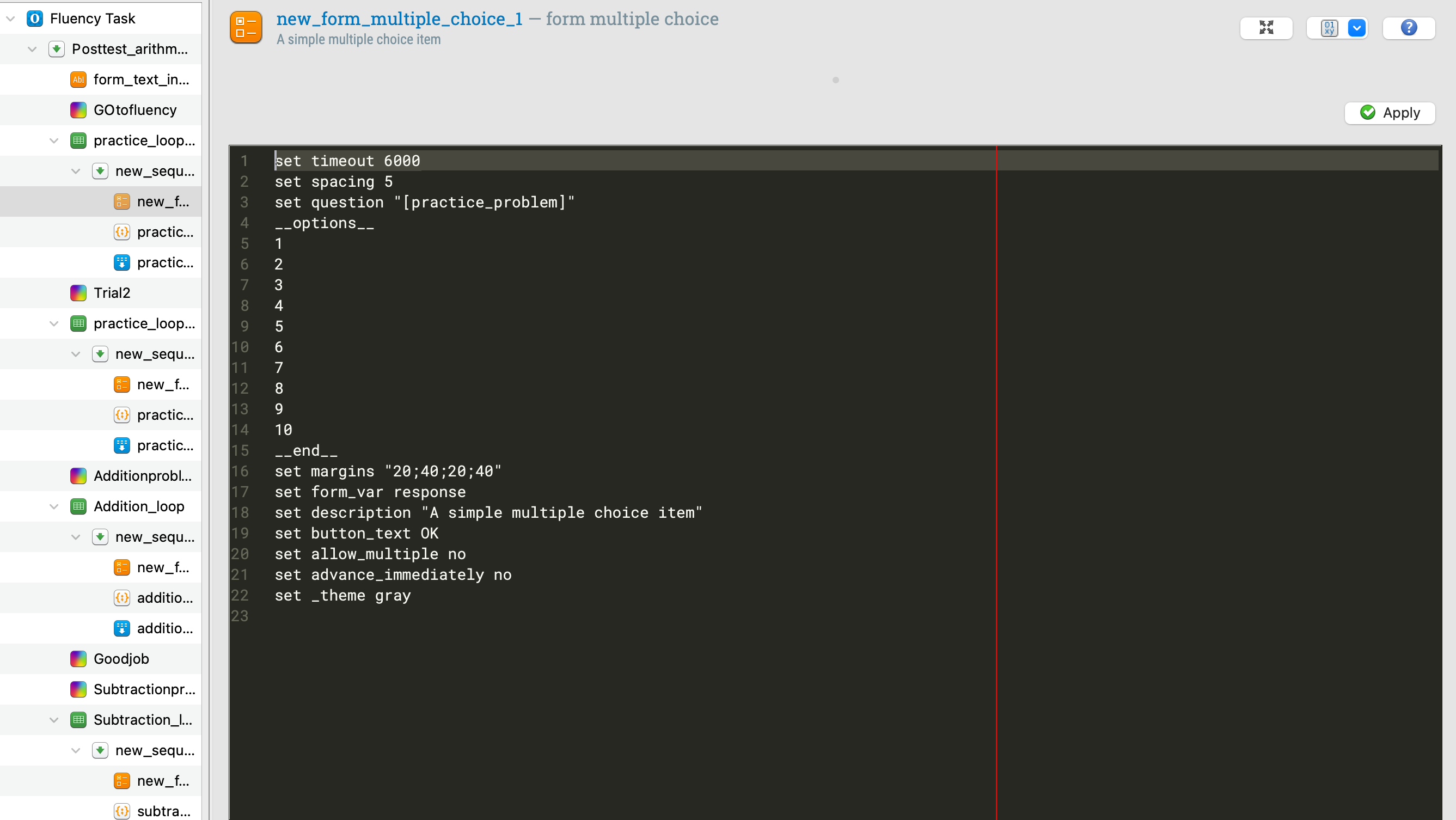
There is a couple of issues I am facing: 1. When I run the task on OSWeb/JATOS, the 'timeout' function does not seem to work and will not proceed to the next problem even after 6 seconds; 2. Right now, the multiple-choice (1-10) are all listed in a single column, which takes too much space to make the actual math problems in bigger fonts and cuts off the 'OK' button (please refer to the image below). Is there a way to re-format answer choices for the form_multiple_choice function? If I could get some help addressing these issues, that would be very helpful!
Thank you!

Comments
Hi @choql,
I think that the timeout function is not operating when you run the task in OSWeb. As for the positionin of the options, the multiple choce form object does not allow you to arrange them vertically (as far as I know; if you look at the script, you'll see that the options are separated by line breaks and that there is no option to set x,y coordinates for them).
So you probably need to find an alternative method to run that task in a browser. It may be possible to program it in Javascrip code using the inline_javascript (although I suspect if would not be easy).
There is however a simple solution, which is to upgrade to Open Sesame 4.0, as it comes with OSWeb 2.0 which is now supporting mouse responses! If you used that version, you could simply display the problem and response labels on a sketchpad, set its duration to 0ms, then have a mouse response object linked to that sketchpad. The good news is that the timout property of the mouse response object does work in the browser too.
Note that if you'd like to keep Open Sesame 3.3 on your computer, you can actually do so while also running Open Sesame 4.0. What you'd have to do to achieve this is to download Open Sesame 4 as a zip file (not the executable version!) from here: https://github.com/open-cogsci/OpenSesame/releases
You'd then have to unzip it somewhere on your hard disk, and then launch it by searching for the opensesame.bat file and executing it. This is a way of running Open Sesame without passing through a full Windows installation. If you do so, you'll be able to run Open Sesame 3.3 as you used to, and run Open Sesame 4.0 through the .bat file.
Note that the release notes and documentation for Open Sesame 4.0 are not out yet, though some information about its new features can be found here: https://osdoc.cogsci.nl/4.0/notes/400/
Open Sesame 4 introduces new features, but is back compatible with programs written in version 3 (for now anyway). One interesting feature of OSWeb 2.0 is that it supports more features than OSWeb 1.4, such as response buttons, but it now also allows you to run the experiment locally, not just online through JATOS. In Open Sesame 4.0, the experiment is designed for the browser or for Expyriment etc. If you select the browser execution, it will run the task in the browser only and save the data file as a JSON file on your hard disk. This means that the task can now be run in the browser in the lab without requiring to export the experiment to a JATOS server (though you can still do so if you want to your participants to take part over the internet).
So, in your case, I'd use OSWeb 2.0 and set a sketchpad with response options (which you can now arranged horizontally or how you please), populate the arithmetic problems from a variable in your loop, chose the format of the text on the screen (size, font, color etc.), use the timeout option and get respnse and RT recorded.
Hope this helps,
Fabrice.