


Matching ID qualtrics with Jatos, experimenting in labJS

The first steps in Qualtrics succeeded, but I keep getting stuck in lab js. (I first build the experiment in Lab JS. and than implement it in Jatos).
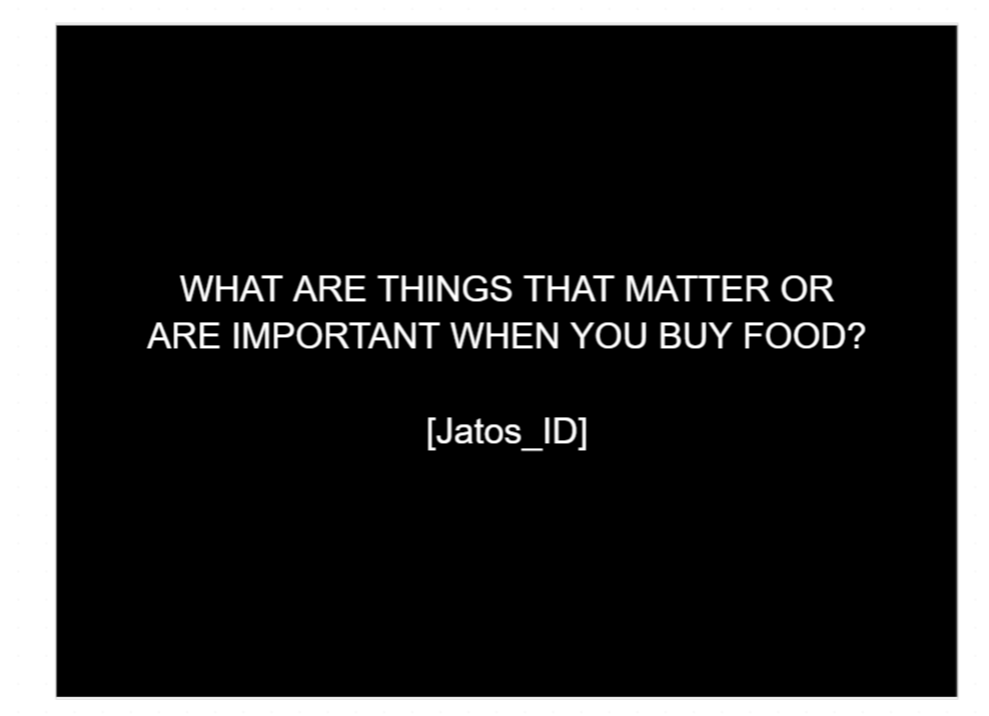
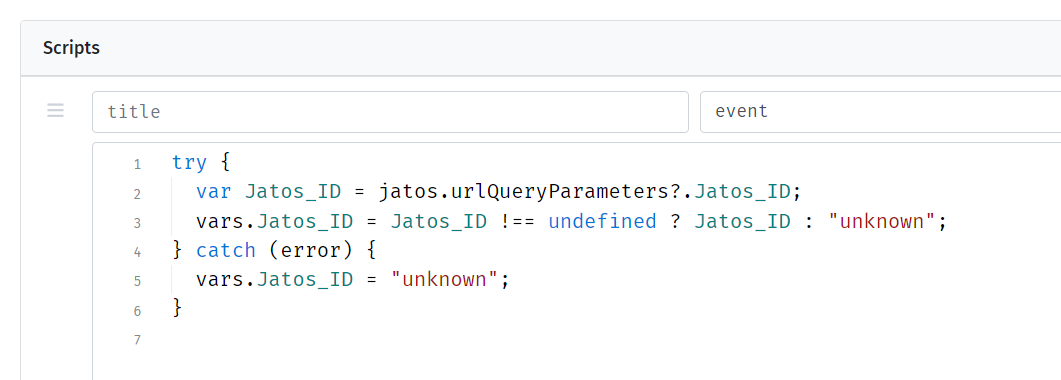
The lower picture shows the code I wrote, but for some reason Jatos_ID stays on the screen (the upper picture) instead of the number (which I extracted from the URL: http://www.implicitmeasures.be/publix/x6G0P66NJ7B?Jatos_ID=${e://Field/Jatos_ID}).
So, I followed the instruction from the forum to run via the developer tool --> console: jatos.urlQueryParameters.Jatos_ID --> and this works, it shows me the number that is allocated to the participant in Qualtrics (so it gives the same number that is in the URL). So that is good... So I don't get it why it does not work to show the number on the black screen...
Do you have any idea? Thank you very much!!
Comments
Hi!
I'm too not sure why this happens with your study, but somehow it looks more like an issue with lab.js since you are able to access
jatos.urlQueryParameters.Jatos_IDfrom the browser's console. Maybe your question is better asked in lab.js forum?Best,
Kristian