


Inline Script

Hi,
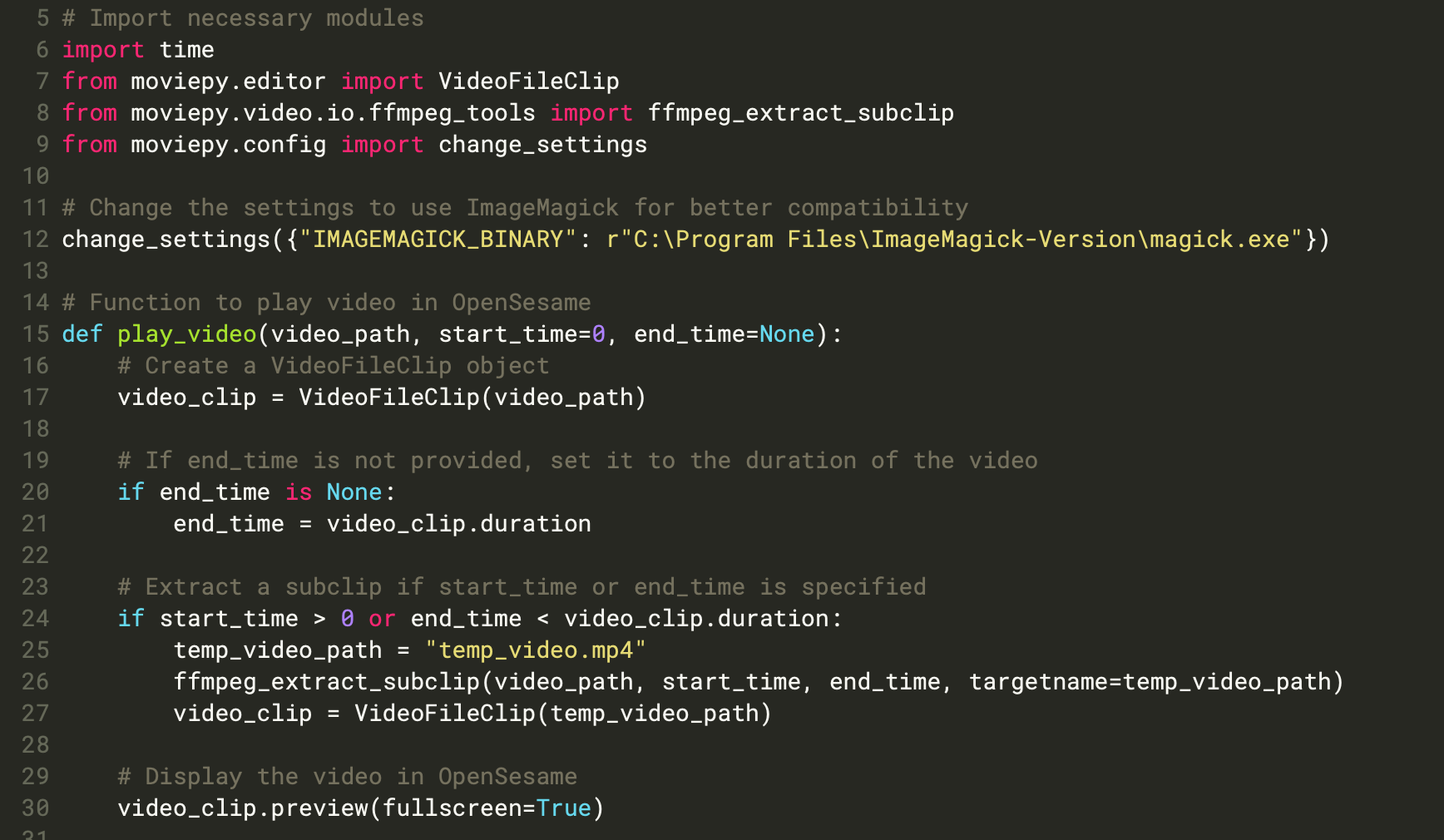
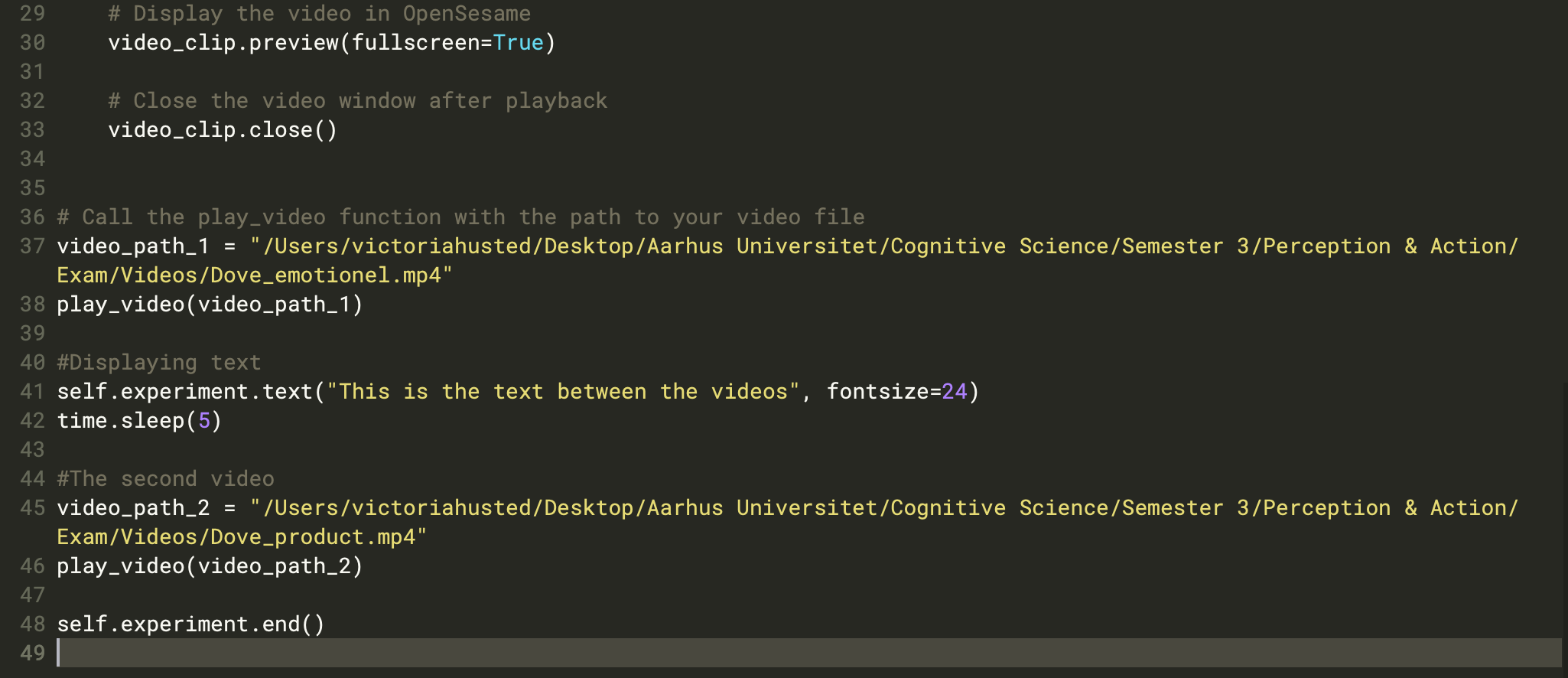
I am currently working on a inline script which is suppose to show two videos (these are displaying - so all good). In between the videos I would like to show a text what indicates that the new video starts. However I can't seem to find a function that is applicable. Further, I would like to go back to the OpenSesame script when the inline script is done playing. I have tried different functions, none of which seems to work. I hope some of you are able to help me solving this problem.
I have inserted a picture of my current code, so I have two issues:
- Cant display text
- Cant get the incline script to go back to opensesame to continue with the rest of the experiment (mouse tracking)
Thank you in advance.
Comments
Hi Victoria,
Have you checked out the documentation? Presenting text is explained here
my_canvas = Canvas()
# Function interface
my_canvas.text('Some text with boldface and italics')
my_canvas.show()
# 5 seconds, right?
clock.sleep(5000)
Further, I would like to go back to the OpenSesame script when the inline script is done playing.
Not sure, I understand. Does the video part open a new window? If so, that is not ideal. I don't really know how to get back to the standard Opensesame window. So, either try to present the video in the same window Opensesame opens automatically, or check your video library (moviepy), whether there are options to present text. I think the first one is preferable.
Sorry that I can't help more.
Eduard