


Button coding wrong value of variable

Hi everyone,
I've searched for a long time and I can't seem to find why my code isn't working properly  . I'd be very glad if you could help me solving my code, which I'm sure is not that complicated, I think I just miss some bit of information.
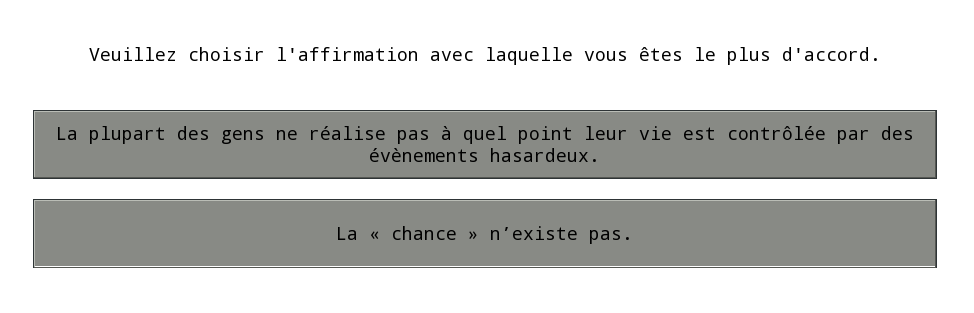
My goal is to create a form which contains a label and two buttons, each one coding a different value of the same variable (locus). The problem is that my scale items are always coded the same value, not depending on which button i've clicked.
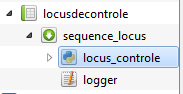
So far, i've embedded an inline_script into a sequence into a loop. Here is a screenshot of my plan :
To make it easier to understand, here is a screenshot of my loop :
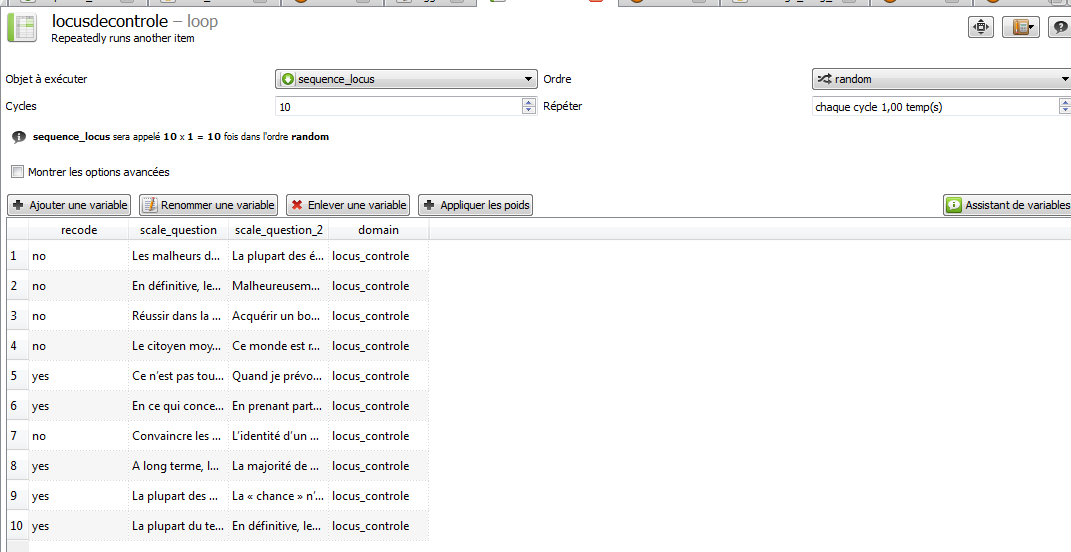
Each line contains 2 texts, respective to each button. Here is what the subject sees :
I've writen this text in the inline_script "run" category :
from libopensesame import widgets
form=widgets.form(exp, margins=(250,50,250,50), cols=[1], rows=[1,1,1])
label=widgets.label(form, text="Veuillez choisir l'affirmation avec laquelle vous êtes le plus d'accord.")
button_1=widgets.button(form, text=var.scale_question, var='bouton')
button_2=widgets.button(form, text=var.scale_question_2, var='bouton')
button_1.set_var('interne', var='locus')
button_2.set_var('externe', var='locus')
form.set_widget(label, (0,0))
form.set_widget(button_1, (0,1))
form.set_widget(button_2, (0,2))
form._exec()

if var.recode=='yes':
    if var.locus=='interne':
        var.locus='externe'
    elif var.locus=='externe':
        var.locus='interne'

var.reponses_items=var.locus
The problem is that the lines with the 'recode' value of 'no' always code 'locus' to 'externe', whereas the lines with the 'recode' value of 'yes' always code 'locus' to 'interne'.
How do I manage to code the value of 'locus' depending on the button the subject has clicked ?
For information, the 'recode' variable switches the values of locus _because the sentences in a '_yes' item are switched to prevent an order effect.
The 'reponses_items' variable is just a global variable I use to have a cleaner finale sheet.
Thank you for reading 
Comments
Hi Olivier,
Thank you for your polite and detailed question (this makes me more willing to try to answer it ).
).
If you use the inline below I think it should work. Note I changed the button_1 and button_2 lines and the if statements and removed the set_var lines as I don't really understand what they should do in any experiment
Best,
Jarik
PS I don't understand why one would use the button.set_var() function. Can anyone clarify? Possible the set_var documentation needs some more details or an example?
http://osdoc.cogsci.nl/3.1/manual/forms/widgets/button/#function-button46set95var40val-varnone41
Hi Jarik, thank your for your help !
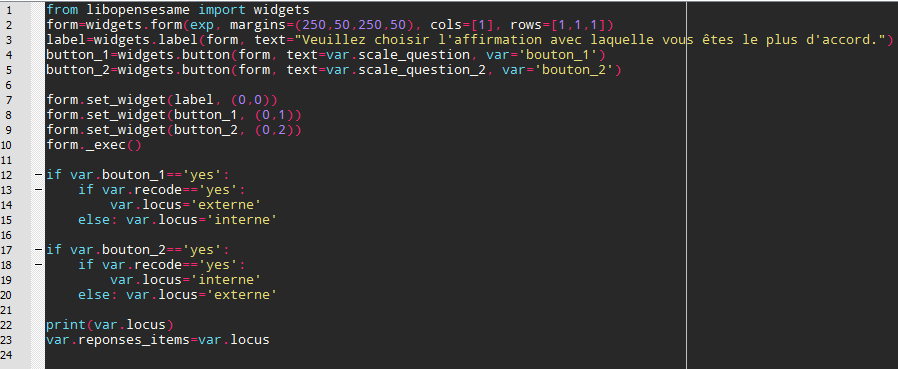
It works like a charm
Although I don't really understand how the variable 'locus' is assigned a value since we didn't create it in the first place. It must be a Python thing ^^.
Here is the resulting code :
By the way, I'd be interested too in the 'button.set_var( )' function usefulness.
Thanks again, have a good day !
Yes you did! Once you've done
var.locus = 'some value', the variable 'locus' exists. Or is that not what you mean?This is essentially an internal function, which is used by the button widget itself. It's documented for completeness, but I cannot really think of a situation in which it would be useful for regular users.
Check out SigmundAI.eu for our OpenSesame AI assistant!