

Working with keyboard in coroutine

in OpenSesame
Hi there!
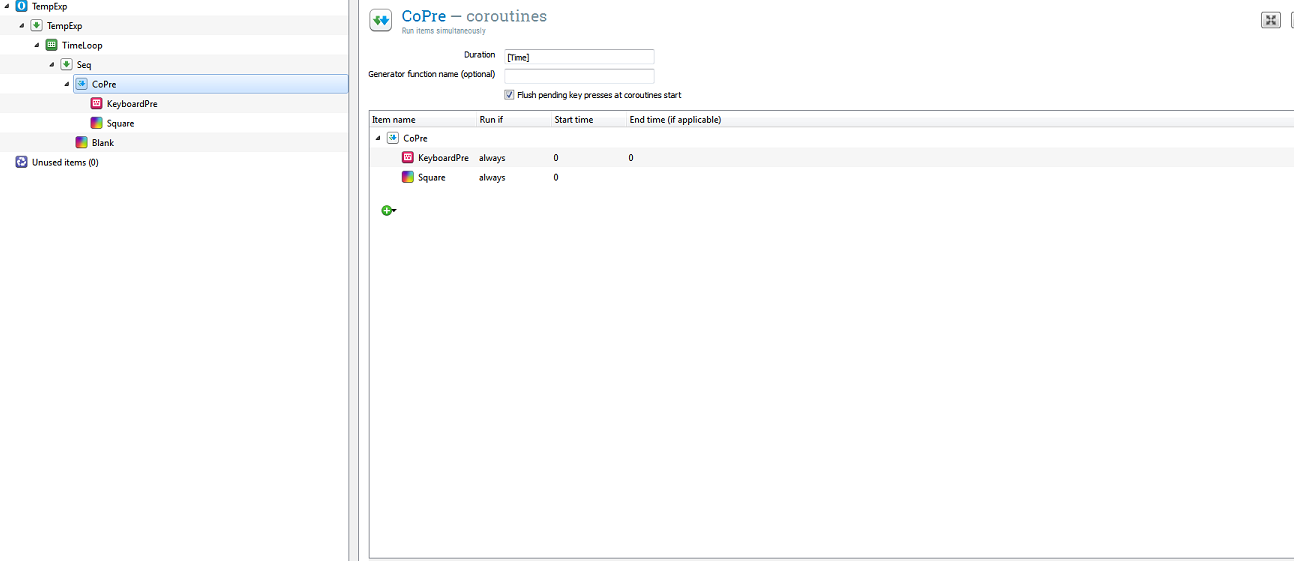
Here is a part in my experiment which doesn't work.
for a reason i'm not fully understand the variable "response_KeyboardPre" is always None.
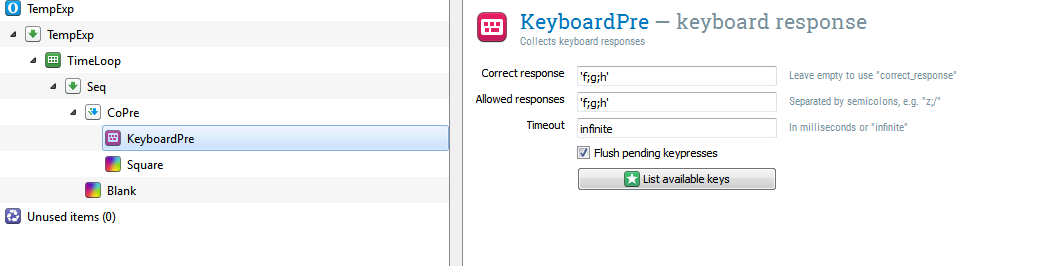
this is how the keyboard is configured:
The "Time" variable is coming from the loop "TimeLoop" and varied from trial to trial.
help please?
Comments
Hi,
Right now, you've specified that KeyboardPre ends after 0 ms . If you set the End Time to
[Time]. you will find that it collects key presses for the duration of the coroutines.Cheers,
Sebastiaan
Check out SigmundAI.eu for our OpenSesame AI assistant!
Thank you Sebastiaan so much!
Now the "response_KeyboardPre" is updating and yet it doesn't recognize correct response when I press 'g' (please see the configurations in my picture above). what am I doing wrong?
Thanks!
Hi,
Are you sure it doesn't work? I just quickly copied your settings and tried myself, and it seems to work.
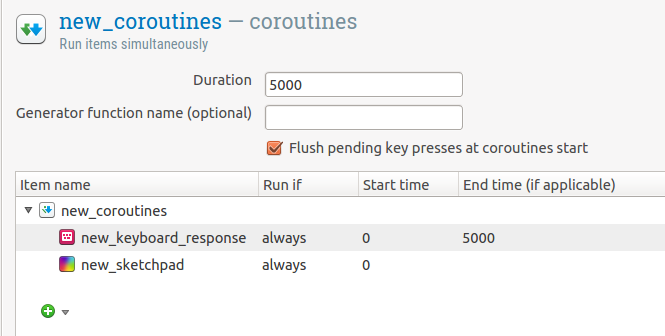 .
.
Maybe you need to remove the
""around the allowed_keys, like thatf;g;hYou know?
Hey eduard,
Thank you very much for your help!
Unfortunately it doesn't work for me. I couldn't find any way in which I use two buttons for correct response and the variable "correct_KeyboardPre" is giving 1.
maybe the problem is in my computer?
Though it's really basic, I'm attaching my file here as I'm really don't know what to do..
Hey,
Nope, your computer is fine. The problem is that Opensesame can't handle two keys being passed as
correct_response. I don't think this is intended, right @sebastiaan? As far as I remember it did work in the past, though?At any rate, until this is fixed (in case it will be fixed), you can compute your accuracy yourself. It's quite simple:
Hope this helps.
Eduard
No that never worked. But clearly it would be convenient, so I opened an issue for it.
Regarding the code, don't forget the
var.beforeresponse!Cheers!
Sebastiaan
Check out SigmundAI.eu for our OpenSesame AI assistant!
Thank you Sebastiaan and Eduard!!!