


canvas question

Hey guys,
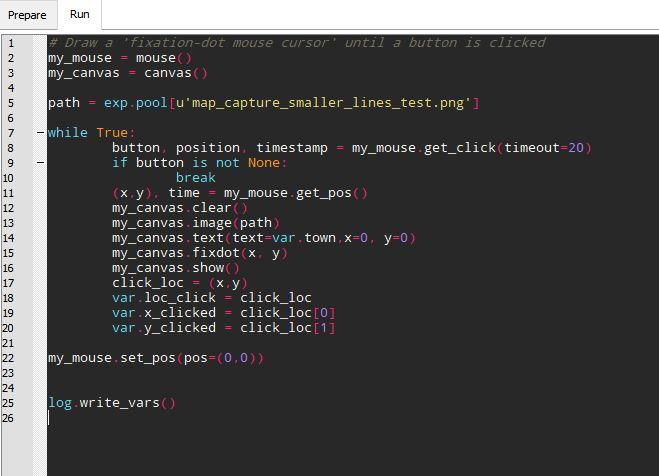
I need some ideas on how to implement something that seems easy but yet eludes me. Basically, I want to show a map and when people click on a location to save its pixel coordinates. I've done the click and save part by recycling some code from another example and drawing a fixation point on the mouse location on the canvas (see attachment). The problem is that when I add the png for the map in the while loop that controls the mouse, things slow down a lot. This is of course to be expected as the png gets redrawn on the canvas all the time, but how should I do this instead? Basically, I want to display the map once and redraw the mouse continuously. I tried putting the map outside of the loop but I haven't manged to make the mouse update as it should. Any ideas?
Thanks in advance,
marios
Comments
Hi Marios,
First thought: Why don't you simply let the operating system draw the mouse cursor?
That way you don't have to redraw the canvas over and over again. But if, for whatever reason, that is not an option, there are a few other things you could try to improve performance:
Cheers!
Sebastiaan
Check out SigmundAI.eu for our OpenSesame AI assistant!
Thanks Sebastiaan! Initially I was thinking of doing mouse tracking so I went down this route. But, if I decide against it then I could just have the os draw the mouse. Good point. I'll also try the other things you suggested and see what happens.
Hi Sebastiaan,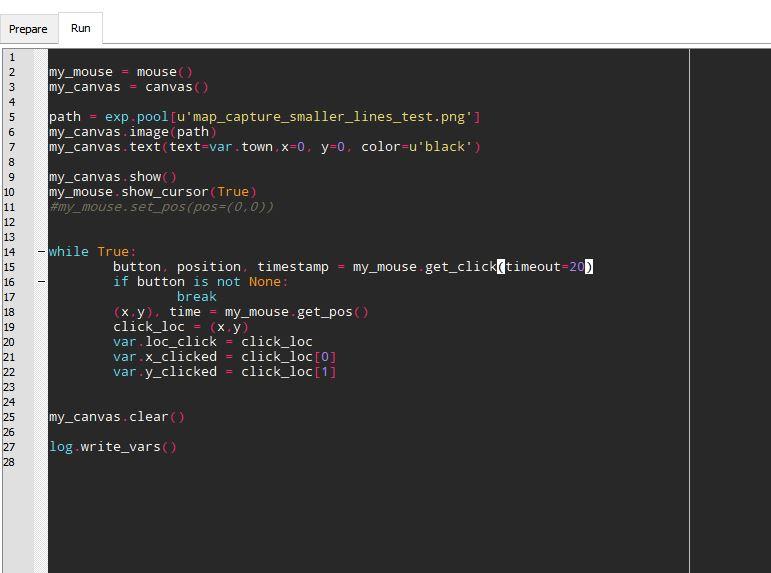
I finally found some time to get back to this and still I cant figure it out. I moved the canvas functions out of the loop and let the OS control the mouse. But, for some reason I can't get a mouse cursor that can be freely moved by the user. Any idea what I'm doing wrong again? I attach my inline.
Thanks,
marios
But what happens then? Is the mouse cursor invisible, or is it visible but for some reason unmovable?
Check out SigmundAI.eu for our OpenSesame AI assistant!
As is, the mouse only shows up for a bit in thr center of the screen. Playing around with code (if I remember correctly, by changing the timeout value), Igot it to show up for longer but when I was moving it away from the center it kept pushing back to it.By the way, I dont think I understand what timeout really does!
Hi Mario,
Try this code, it works quite nicely for me.
Timeout indicates how long the computer waits before continuing with the script. So a timeout of 20 means that for 20ms the experiment is idle while waiting for the mouse click. A timeout of 0 means, that it does not wait at all (But in that case the function is still responsive for pending clicks, so if you click a mouse button, the click will be registered on the next iteration).
Hope this helps,.
Eduard
Perfect! Thank you so much for your help Eduard! I'll test the code later today and adapt for my purpose.
Cheers,
marios