

Audio recording was blocked

Hi there. I have a jsPsych-based experiment with a task that involves audio recording. But when I tested the audio recording in JATOS, I got warnings like this and the experiment stopped responding.
jspsych-image-audio-response-chinese.js:228 Uncaught TypeError: Cannot read property 'getUserMedia' of undefined
    at start_recording (jspsych-image-audio-response-chinese.js:228)
    at Object.jsPsych.plugins.image-audio-response.plugin.trial (jspsych-image-audio-response-chinese.js:349)
    at doTrial (jspsych.js:854)
    at nextTrial (jspsych.js:822)
    at Object.window.jsPsych.core.finishTrial (jspsych.js:267)
    at end_trial (jspsych-html-button-response.js:168)
    at after_response (jspsych-html-button-response.js:147)
    at HTMLDivElement.<anonymous> (jspsych-html-button-response.js:116)
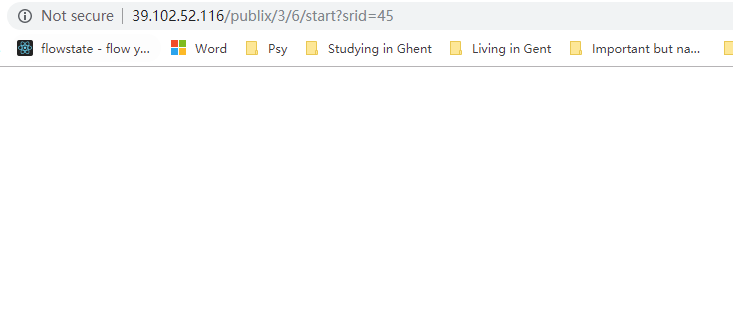
I used Chrome to run the experiment, in which my JATOS website is recognized as not secure (see the screenshot below). I assume that the problem might be caused by the fact that Chrome blocked the audio input function for the insecure websites. I was wondering how can I enable audio input or alternatively upgrade the security level of my website? Thanks a lot!
Comments
Hi!
You are correct Chrome does not allow audio recording without encryption (this the reason for the 'not secure' in your Chrome's address bar). More about this in this SO answer: https://stackoverflow.com/a/34198101/1278769. Btw. you can try on cortex.jatos.org if you experiment works there (this server is encrypted).
In order to get a secure JATOS you have to enable encryption (get a https:// in front of your address). Now the first problem that I see is, that you do not seem to have a domain name and without a domain name you can't get a certificate and a certificate is what you need to enable encryption. Unfortunately this is a little bit outside of the scope of this forum - your question is about how to set up a server in general. Anyway I can give you a couple of hints:
Best,
Kristian
Hi Kristian,
Thank you so much for the suggestion!
I am using the Alibaba ECS server. They do have an very cheap offer of domain names. I will try to install an SSL certificate in my server once I get my domain name confimed. Hopefully everything will work after I upgrade my address to HTTPS
Best regards,
Chi
Hi Kristian,
I have a follow-up question about installing SSL in my server. I did not know what type of server JATOS is running on if neither Apache nor Nginx was installed. I think it is a java-based server but I am not entirely sure. Would you please give me a hint about that? Thank you so much!
Best,
Chi
Hi Kristian,
I finally got my experiment on a https domain name. Now I could run my experiment via my domain name (https://tcoding.tech) and the webpage allows voice recording. Thank you so much for the suggestion!
But whe the experiment was loading there were a few warnings in my console, see below:
and
I was wondering in what possible way these errors could influence my experiment? And how should I avoid these problems. Thank you!
Best regards,
Chi
@chizhang Your posts were captured by the spamfilter, but I verified your account so that won't happen again!
Check out SigmundAI.eu for our OpenSesame AI assistant!
Hi @sebastiaan !
Thank you so much. And thank you also for the wonderful workshop last week!
Best regards,
Chi
Hi Chi,
The error you get originates from JATOS not being able to open a WebSocket for the batch session.
Do you use a proxy like Apache or Nginx in front of JATOS? You have to configure it to allow WebSockets and forward them to JATOS. Have a look at http://www.jatos.org/JATOS-with-Nginx.html or http://www.jatos.org/JATOS-with-Apache.html, especially where it says 'websocket'.
Best,
Kristian
Hi Kristian,
I am using a virtual host in Nginx. So I adapted the .conf file in the directory of www/server/panel/vhost/nginx
Please find the updated config file in the attachment.
I made several changes based on the Nginx link. But given I have no knowledge with regard to virtual host in Nginx (or Nginx in general), the changes might be not at all correct. Would you please take a look at it?
I also tried to change the nginx.conf in the directory /etc/nginx/nginx.conf, but it seemed to mess with the connection with the website. So for now I kept the nginx.conf as it is. I also did not know whether this is correct or not.
Thank you so much and sorry for the many questions.
Best,
Chi