

Customizing the welcome screen in OSWeb 1.4

Hi there,
Am super happy with OSWeb 1.4's new features! 😀👍️
I noticed that the advanced settings allow one to customize the welcome text message appearing at the very onset of the experiment.
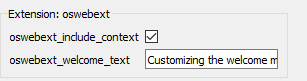
That's really cool as it allows me a message in the language my subjects understand (Spanish). The text does show, but it doesn't wrap (so I'm limited as to how much text I can display):
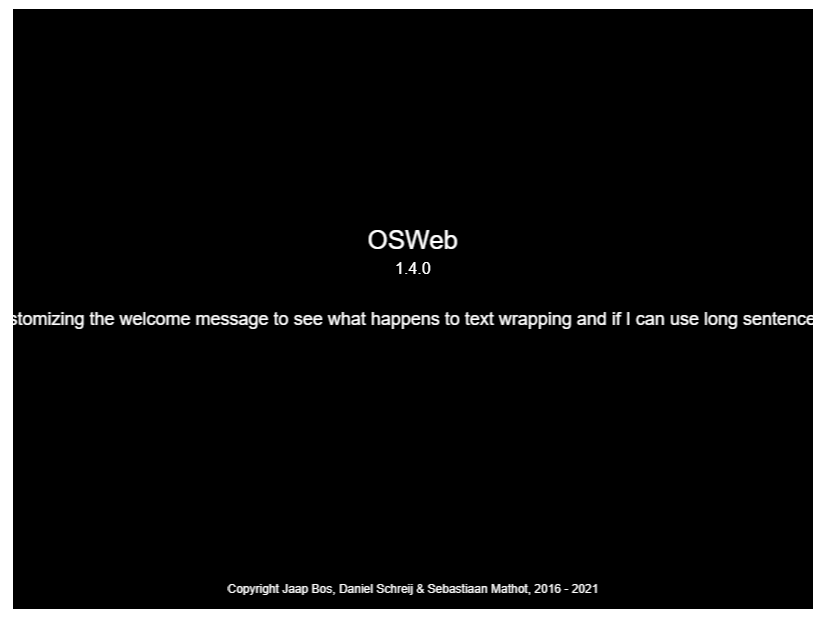
It's not a big issue, I can always limit the message to something super short and present more information on a sketchpad inside the experiment. But since I'm exploring the welcome screen's customizing option, I was just wondering... Is there a way to split the message across several lines? Does it accept text only or is there a way to inject some HTML code (e.g., "<br>"; I had a go at that but just ended up with a blank screen)? Is there a way to include a logo? (that last question is really not critical; I'm just curious).
I was also wondering what the "oswebtext_include_context" option actually does.
Thanks in advance!
Best,
Fabrice.

Comments
Hi @Fab ,
You don't need to do this through the Preferences, but you can simply edit the welcome text through the regular interface. And then it will properly take into account line breaks!
The context-info option determines whether things like the browser type, JATOS version, etc. are also included when converting the JATOS results file to csv/ xlsx. So basically you have a few more columns if you enable this option.
-- Sebastiaan
Check out SigmundAI.eu for our OpenSesame AI assistant!
Hi @sebastiaan,
Brilliant! Thanks very much!
Can't believe I had missed that 😉
Just a quick extra question... Is there a way to enable characters like quotation marks or the apostrophe in the welcome text? I noticed that these interfere with the proper display of the html page. It's a minor thing, it can easily be circumvented by the choice of phrasing in many languages, but might be more problematic in some language. For example, in French, the apostrophe is quite common (e.g., "L'expérience").
I found how to insert quotation marks (once I realized I should look into how strings are processed in Python). Something like
\"Hello\"will produce"hello". But the apostrophe remains elusive. I tried\', but that doesn't work (I guess it messes things up in this instance).Many thanks!
Fabrice.
Hi @Fab ,
Thanks for spotting the issue with quotes in the welcome text! Until this is fixed, a workaround is to use a quote-like character that is not actually a single or double quote. A back tick (`), for example, or an Armenian apostrophe (՚).
— Sebastiaan
Check out SigmundAI.eu for our OpenSesame AI assistant!
Hi @sebastiaan,
Thanks for the suggestion! Hadn't thought of the back tick or he Armenian apostrophe! Great idea!
Best,
Fabrice.