

Unexpected black image background in OSWeb (using canvas)
Hi,
I have another Canvas related question. I am showing an image (black line segments) on a white background using the following line of code:
// draw image with given orientation
persistent.search_cnvs.image({fname: vars.trial_img, rotation: vars.orient, scale: 0.28})
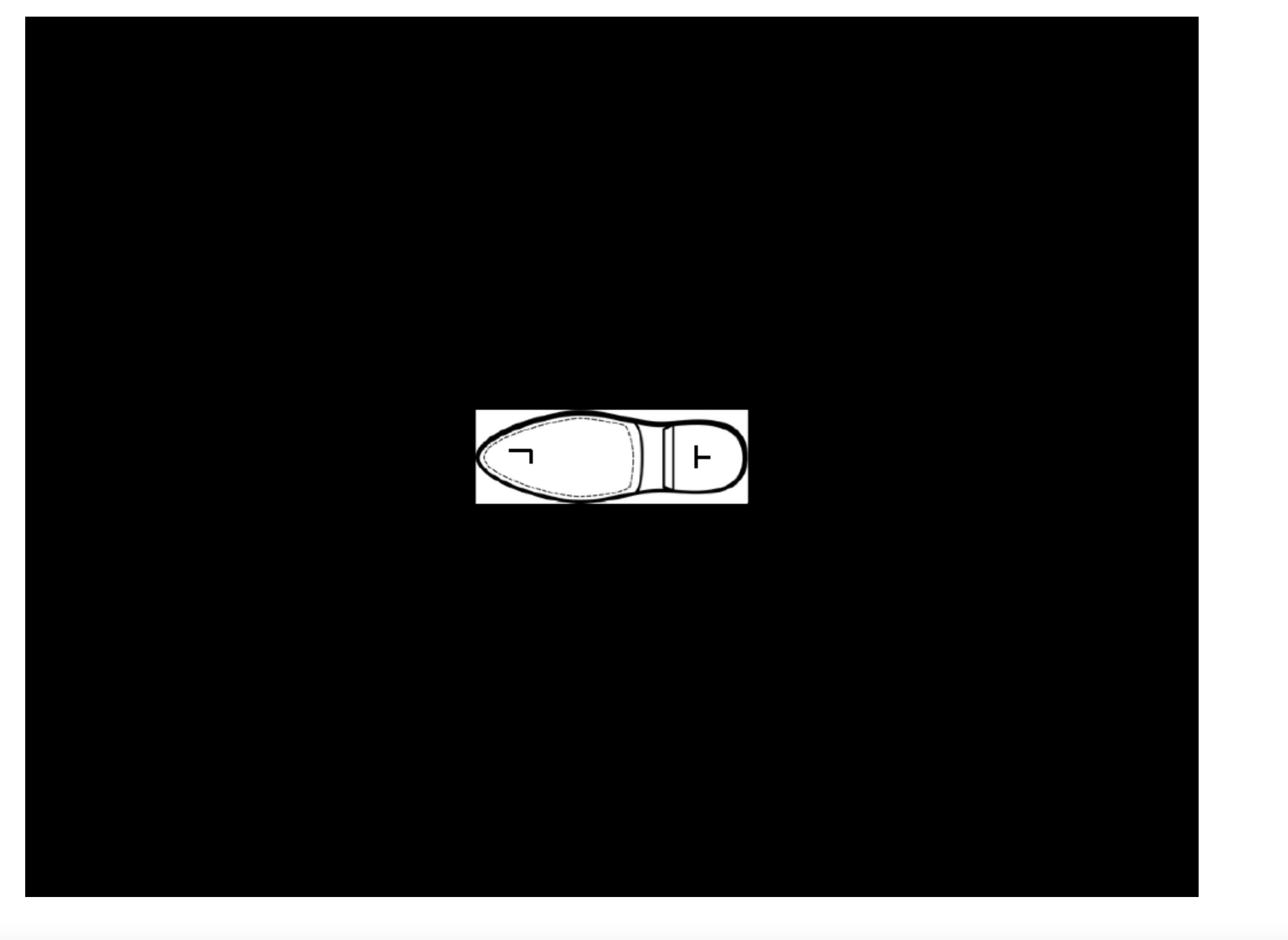
If I test the experiment in desktop mode, everything looks as it should be (i.e., an image on a white background). However, as soon as I run the experiment in browser mode the image seems to be placed on a black box (see attachment). Any idea what might be causing this behavior?
Cheers,
Dirk
Comments
Hi Dirk,
have you checked the background setting in the main script of your experiment?
The standard is background black. If you have not changed that manually, it's an easy fix.
Stephan
Hi Stephan,
Thanks for the suggestion, but that was the first thing that I checked. So unfortunately this easy fix isn't the solution.
Dirk
Hi Dirk,
have you tried setting the background_color when defining the canvas?
I remember that i did this issue once in python. In python you can define the font_color and background_color for each canvas differently. Maybe this works similarly in javascript? As a workaround it's worth a try.
Stephan
Hi,
Seems to be a bug, or at least something that isn't implemented yet. I don't see how the background color of an inline_canvas can be modified for browser usage. Sketchpads work, though.
Are you aware of that @sebastiaan?
Eduard
Thanks for pointing this out! I wasn't aware of this, but it's indeed a bug. I filed an issue here, and it should be fixed in the next maintenance release.
Check out SigmundAI.eu for our OpenSesame AI assistant!
Great! Thank you
Hiya! Had the same problem. Just to check (and add a solution for whoever also lands here) the best interim solution I could come up with was to just draw a big rectangle upon creating the canv
persistent.c=Canvas()
let c =persistent.c
c.rect({x:-vars.width/2,y:-vars.height/2,w:1024,h:768,fill:true,color:vars.background})
Is there something more clever (faster?) I could have done?