

OSweb

in OpenSesame
Hello to you,
I need your help again on another topic about Opensesame and OSweb.
When I launch OSweb to test my implicit association test, I have two problems:
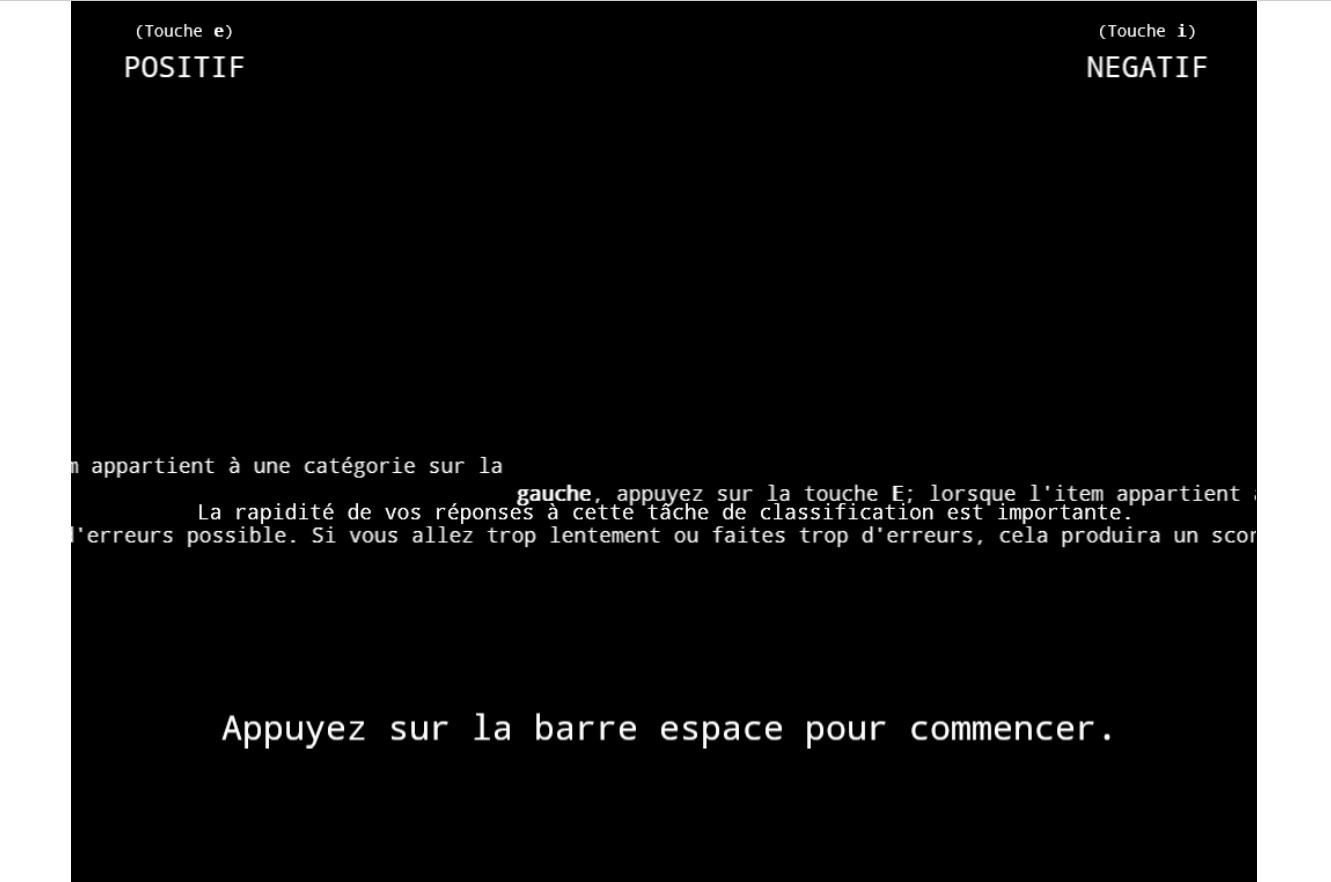
The first one is the "formatting" of the screen, the text is not visible on the screen and some lines are completely shifted, while the display of the "consent" at the beginning of the study is perfect.
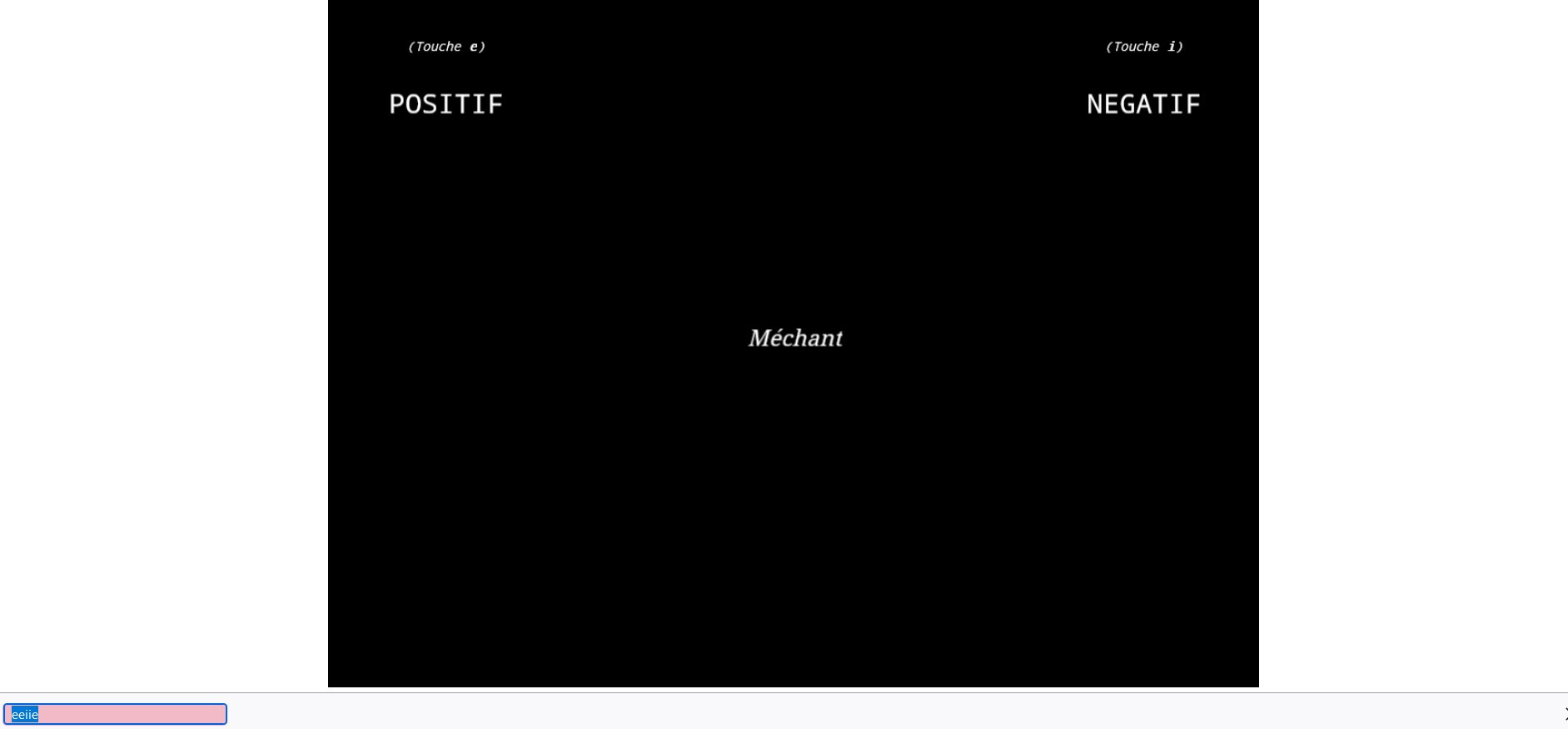
The second one is that when doing the test, i.e. sorting the items on the screen with the "e" or "i" keys, there is a window that opens at the bottom left of the page, like a debugging window. But it is impossible to answer the questions.
I add the screens as attachments.
Have you already been confronted with this kind of problem?
I thank you in advance and wish you a good evening.
Comments
Hi @Snap92 ,
The first one is the "formatting" of the screen, the text is not visible on the screen and some lines are completely shifted, while the display of the "consent" at the beginning of the study is perfect.
OSWeb doesn't automatically wrap lines, so you need to manually add line breaks (enters) to the text to make it fit on the screen. (Which is a bit annoying.)
The second one is that when doing the test, i.e. sorting the items on the screen with the "e" or "i" keys, there is a window that opens at the bottom left of the page, like a debugging window. But it is impossible to answer the questions.
I have never seen this, but it almost looks like a search bar of some sort. What browser and operating system are you using? And is this the result of some other key combination that is pressed first (like Ctrl+F)?
— Sebastiaan
Check out SigmundAI.eu for our OpenSesame AI assistant!
Hi @sebastiaan
Thanks for your feedback.
Regarding the lines, I'll try to get this back into shape.
For my configuration, I am under window 11 with firefox.
Indeed, it looks like a search bar but it opens when I press any key.
So I tried with Chrome and Edge.... With these two browsers, impossible to validate with "e" or "i" the answers... the screen remains frozen.
Thanks for your help.
Can you post the experiment (or a simplified version that illustrates the issue) here so I can take a look?
Check out SigmundAI.eu for our OpenSesame AI assistant!
Hi @sebastiaan ,
Thanks for the answer
I can post my .osexp file if you want, but the problem comes from the hosting under Jatos it seems ... Because on my PC it works fine, but in a web browser, it's a disaster.
Do you want the file ?
Thanks a lot.
I can post my .osexp file if you want, but the problem comes from the hosting under Jatos it seems ... Because on my PC it works fine, but in a web browser, it's a disaster.
I suspect it works fine when you run it as a desktop experiment, but not when you use the test in browser function. In any case, yes, please upload it here!
Check out SigmundAI.eu for our OpenSesame AI assistant!
Hi,
And here is the file, thank you very much.
PS: Could this "bug" come from the loggers (linked or not linked) in opensésame?
Good day to all.
If you look at the script of the keyboard response, you see the line:
Of course that doesn't make sense, although in principle it should be harmless, and on the desktop it is. But for some reason, OSWeb actually crashes because of this line. Removing it should resolve the issue!
Check out SigmundAI.eu for our OpenSesame AI assistant!
Hi @sebastiaan
Thanks for the feedback.
I have to remove all these lines in the keyboard responses ? (only one, I think, in the first one)
I tried, and with Jatos it works, but the bar at the bottom is still there.... and I have to click again on the expéreince each time, otherwise it doesn't take the answer.
Another problem, in full screen, impossible to validate the "consent"...
Thanks to you
I have to remove all these lines in the keyboard responses ? (only one, I think, in the first one)
Yes!
I tried, and with Jatos it works, but the bar at the bottom is still there.... and I have to click again on the expéreince each time, otherwise it doesn't take the answer.
I'm pretty sure that this is something specific to your system, perhaps an application that captures keyboard input. Do you also have this when you test on a different system?
Another problem, in full screen, impossible to validate the "consent"...
This is a known issue. It's actually a security policy that some browsers implement, which prevents websites from collecting various kinds of input while in full-screen mode. There's nothing that can be done about this, I'm afraid.
Check out SigmundAI.eu for our OpenSesame AI assistant!
Hi @sebastiaan
I'm pretty sure that this is something specific to your system, perhaps an application that captures keyboard input. Do you also have this when you test on a different system?Yes, I have tried with another browser (google chrome) and it works fine. I think it is Firefox that is the problem.
This is a known issue. It's actually a security policy that some browsers implement, which prevents websites from collecting various kinds of input while in full-screen mode. There's nothing that can be done about this, I'm afraid.Oh well, it doesn't really matter, I've set up the experience without fullscreen (false).
Thanks a lot for these answers.
PS: Do you know if it is possible to put the first page of Osweb in French? Thanks a lot.
PS: Do you know if it is possible to put the first page of Osweb in French? Thanks a lot.
Yes, you can modify the 'Welcome text' in recent versions of OSWeb:
Check out SigmundAI.eu for our OpenSesame AI assistant!
Thank you so much ^^