

Error Invalid Value & How to open in fullcreen

Hi all,
First question: How do I open an experiment in fullscreen. I'm trying to run it via the: show fullscreen button and I also ticked the fullscreen when you type in your participant number, but it only opens in kind of a window.
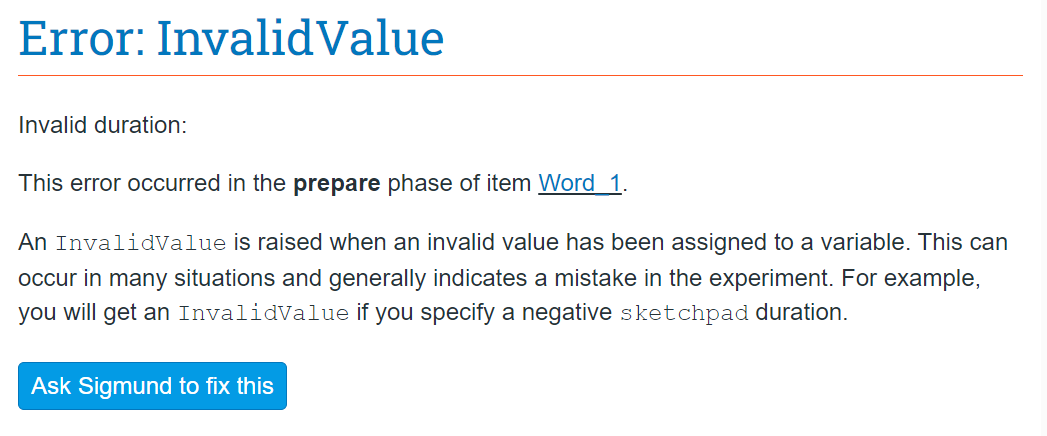
Second question: I have implemented an excel file as my loop to run. For the first part of the experiment it works but for the second part it shows I have an error. Eventhough I checked the sketchpad duration and the excel file. I don't see a problem. I already tried to set the duration to a numerical number, which is 450 in all of my items, but then an error appears for Time_1. The names match and my data seems good from the file. This is the error I get:
The sketchpad looks good though and I use it multiple times in the experiment and for the most part it works.
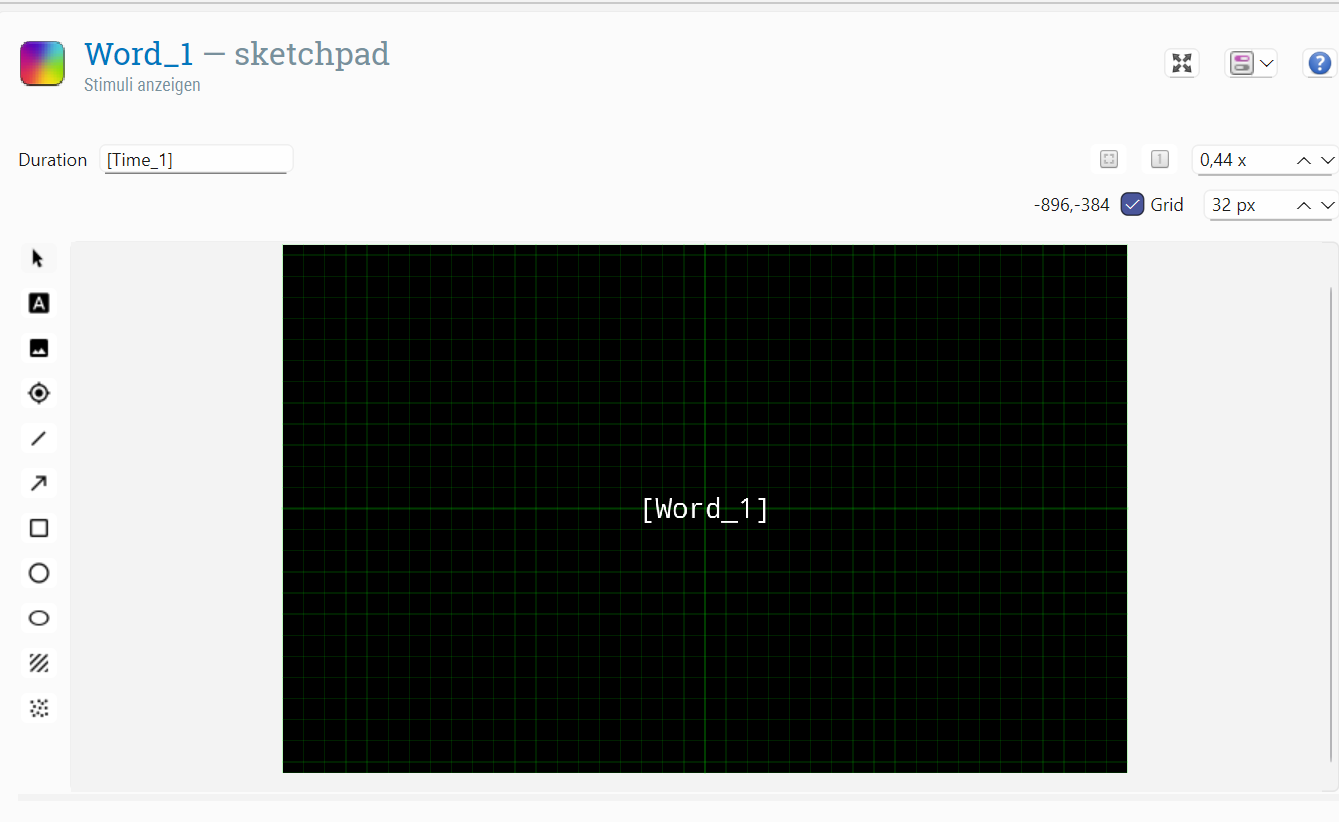
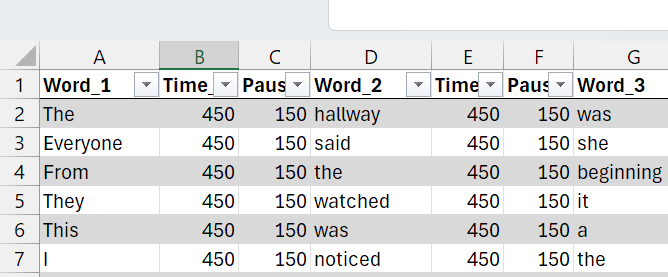
As you can see I made sure the Word_1 in the sketchpad matches the one in the excel and also Time_1 is the same.
Comments
Hi @Bananaman ,
First question: How do I open an experiment in fullscreen. I'm trying to run it via the: show fullscreen button and I also ticked the fullscreen when you type in your participant number, but it only opens in kind of a window.
This happens when the operating system uses so-called display scaling to enlarge text etc. On Windows you can usually find this in the settings under "Scale & Layout". If you set this to 100% it will look normal again. (And it's harmless in any case.)
Second question: I have implemented an excel file as my loop to run. For the first part of the experiment it works but for the second part it shows I have an error. Eventhough I checked the sketchpad duration and the excel file. I don't see a problem.
I suspect that you have an empty cell somewhere in the table, perhaps in an empty row at the very end.
Hope this helps!
— Sebastiaan
Check out SigmundAI.eu for our OpenSesame AI assistant!
Hi @sebastiaan,
thank you so much for replying! I indeed found an empty cell at the end of my file and made sure to delete it but unfortunately it still comes up with that error. I really don't get it:(
For the fullscreen, could you elaborate on that a a bit more. I did try to change my overall layout of my laptop (Windows 11) from 150% to 100%, but then it completely messed up my study and i just saw the study very enlarged but still in a tiny windwow. Any other idea or perhaps I did it wrong?
Hi @Bananaman
Have you tried creating a 'cleaner' version of your Excel file? By that, I mean with no extra cell or text formatting, just raw text (e.g., Ctrl+A, then 'Clear format', or retyping by hand in a new file if you like). To make sure there are no more hidden empty cells, also try deleting a few rows at the end of your Excel file i.e., all those immediately after your last non-empty row. If that does not solve the issue, could you please share your experiment/Excel file so that we can try to reproduce the error?
You may find more information regarding your full-screen issue and how to fix it here.
Hope this helps!
Claire
Check out SigmundAI.eu for our OpenSesame AI assistant! 🤖
@cvanbuck, thank you so much for your help:) Finally, after deleting the formatting it started to work!!!