


Can't import jzip

Hi Jatos community,
I was encountering the same frozen results page problem, using Jatos through MindProbe, as reported in a previous discussion. But I accidentally deleted my study while I was trying to find a solution. Then when I imported again, I got this error message and the importing was not sucessful:
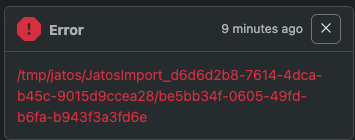
My jzip file is complete and workable as I used the same file and can sucessfully import it last time. I am wondering what should I do now? The error message seems a problem on the online server side which I don't have any access to visit. Any thoughts or suggestions are much appreciated. Thank you very much!
Comments
An update,
To exclude this is casued by my jzip, I also tried importing an empty jzip, but had the same problem. Is this a problem related to teh frozen results page issue?
Otherwise, could you please check the JATOS server logs and server state? It looks like a server-side import/temp-folder problem to me rather than a broken study jzip.
As I can't find any relevant information online about this problem, I described this sitaution to ChatGPT and it suggests to check:
Hope this information can be helpful to detect the problem. Thanks in advance!
Hi,
the update last night to the latest JATOS introduced two bugs. They are fixed now (version 3.10.3) and Mindprobe is updated. Apologies for any inconveniences.
Best,
Kristian