


I accidentally pressed a button that completely changed the default layout of Opensesame.

in OpenSesame
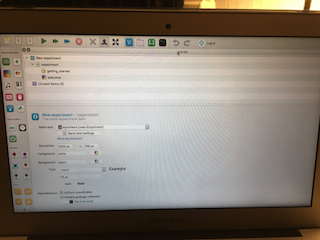
How can I revert this to the default layout? For example, side by side, any insight would be greatly appreciated.
Comments
Hi Josh,
You can simply drag-and-drop parts of the window back to their original position (or wherever you want them) using the handles at the top of the window parts.
Cheers!
Sebastiaan
Check out SigmundAI.eu for our OpenSesame AI assistant!