


Define Color in Javascript

Hi,
I want to create an attentional blink task. The two targets will be colored with red. Since the stream sequence is random, that is the target position is randomly assigned.
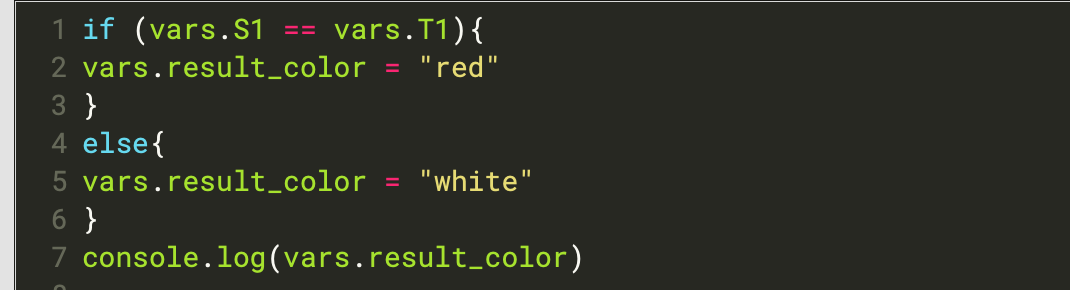
Using the above codes, I have successfully defined these target colors. However, when trying to display the targets in sketchpad, it reports that the result_color is not defined.

I also attached my experiment code, in case I didn't explain it clearly.
Could you please check and tell me what happened.
Best,
Lorraine
Comments
Hi @Lorraine ,
You're defining the colors in the run phase of the target_color item. The
sketchpaditems are prepared in advance, during the prepare phase, and at this time the color variables aren't yet defined. The solution would be to move the code to the prepare phase of the target_color item.You can read more about this here:
-- Sebastiaan
Check out SigmundAI.eu for our OpenSesame AI assistant!
Hi,
Thanks, but it still suggests me that the color variable is not defined after I moved the code to the prepare phase.
Hi @Lorraine ,
I think you should embed the letter string in an additional
loop-sequencewithin the trialsequenceand use thesquare-bracketmethod to define the current stimulus:Next, you can compare the current stimulus to T1 and T2 with only a few lines of javascript like so:
// Default is white:
vars.result_color = "white"

// Except when the current stimulus is T1....
if (vars.stimulus == vars.T1){
vars.result_color = "red"}

// Or T2
if (vars.stimulus == vars.T2){
vars.result_color = "red"}
Now you only need one
sketchpaditem, where you can refer to the current letter like so:I attached a modified script. (I modified the practice phase only.)
Good luck with your experiment!
Cheers,
Lotje
Did you like my answer? Feel free to

HI,
Thanks, it works. However, one side effect is that when target displaying, there are some delays. I mean, I wish the stimuli could display 100 ms, without between stimulus intervals. When I run your example experiment, I found the stream doesn't display smoothly. Could you please let me know whether this problem could be fixed?
Best,
Lorraine
Hi @Lorraine ,
Oops, I must have accidentally changed the duration of the sketchpad from 100 ms to 200 ms. So you could just change it back.
Cheers,
Lotje
Did you like my answer? Feel free to

Hi,
Yes, I noticed that and after changing it back, it still has the delay. As you can see from the console, it seems like not all canvas has been displayed (which should be 14 canvas as there are 14 stimuli.)
Best,
Lorraine
Hi Lorraine,
I haven't followed the entire discussion, but the stimulus_loop only shows 13 items, because it has only 13 lines in the loop table. If you need 14, you have to add one more.
The warnings that you see in the console are not really good, but they shouldn't cause the problem.
(sorry if this is missing the point).
Eduard