


Passing URL query parameters to JATOS through direct study links

in JATOS
Hi @kri ,
As of JATOS 3.7, the normal way to launch experiments is through study links, which are nice. However, it's not clear to me whether and how you can pass URL query parameters using these links, for example to pass the SONA ID to the experiment.
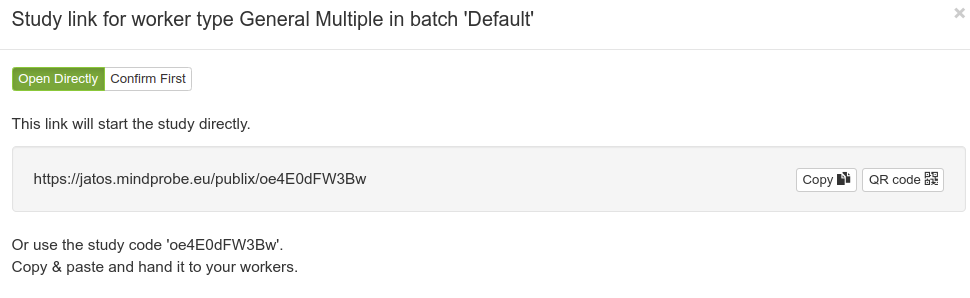
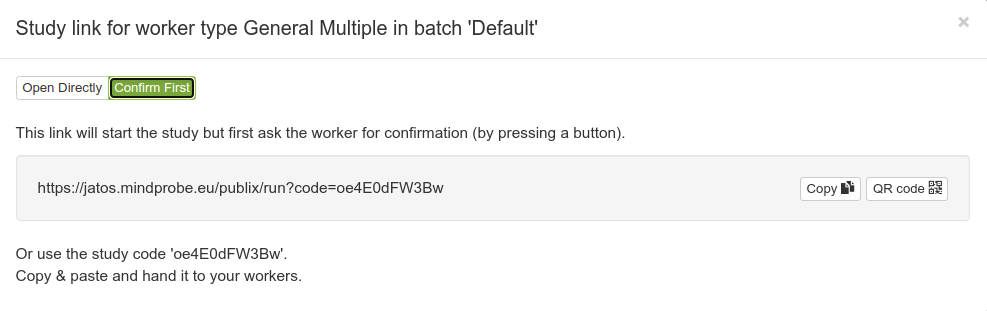
When using the confirm-first-style links, passing the parameters works as before. But before I recommend this to users, I wanted to check if I'm missing something.
— Sebastiaan

Comments
Hi Sebastiaan,
You can use URL query parameter to pass on information like before: just add them to the URL.
open directly links)
E.g. if your 'open directly' link is https://jatos.mindprobe.eu/publix/K0SoSygRH2r and you want to pass variables a=1, b=test, and c, then the URL will be https://jatos.mindprobe.eu/publix/K0SoSygRH2r?a=1&b=test&c
confirm first links)
E.g. if your 'confirm first' link is https://jatos.mindprobe.eu/publix/run?code=1ZXxvO8Q8vY and you want to pass on variables a=1, b=test, and c, then the URL will be https://jatos.mindprobe.eu/publix/run?code=1ZXxvO8Q8vY&a=1&b=test&c.
And also like before you can get the parameters via
jatos.urlQueryParameters.Best,
Kristian
Hi @kri ,
Thanks! This was a silly oversight on my part, because I forgot that he first argument starts with a
?, not a&.— Sebastiaan
Check out SigmundAI.eu for our OpenSesame AI assistant!
@sebastiaan I just encountered this exact problem. Would you mind updating the manual on this page? Thanks!