


Importing all images from folder into one list

Obligatory - I am new to coding.
I am creating a canvas in an inline script and would would like to import about 70 images from a folder on my computer into a list, which I can then shuffle. The goal is to place a random selection of the 70 images onto the canvas by selecting a few positions from the list. Unfortunately, it seems like the lists i create do not match the required formatting.
I have tried to solve this by using recommendations from similar problems on stack overflow, which resulted in something like this:
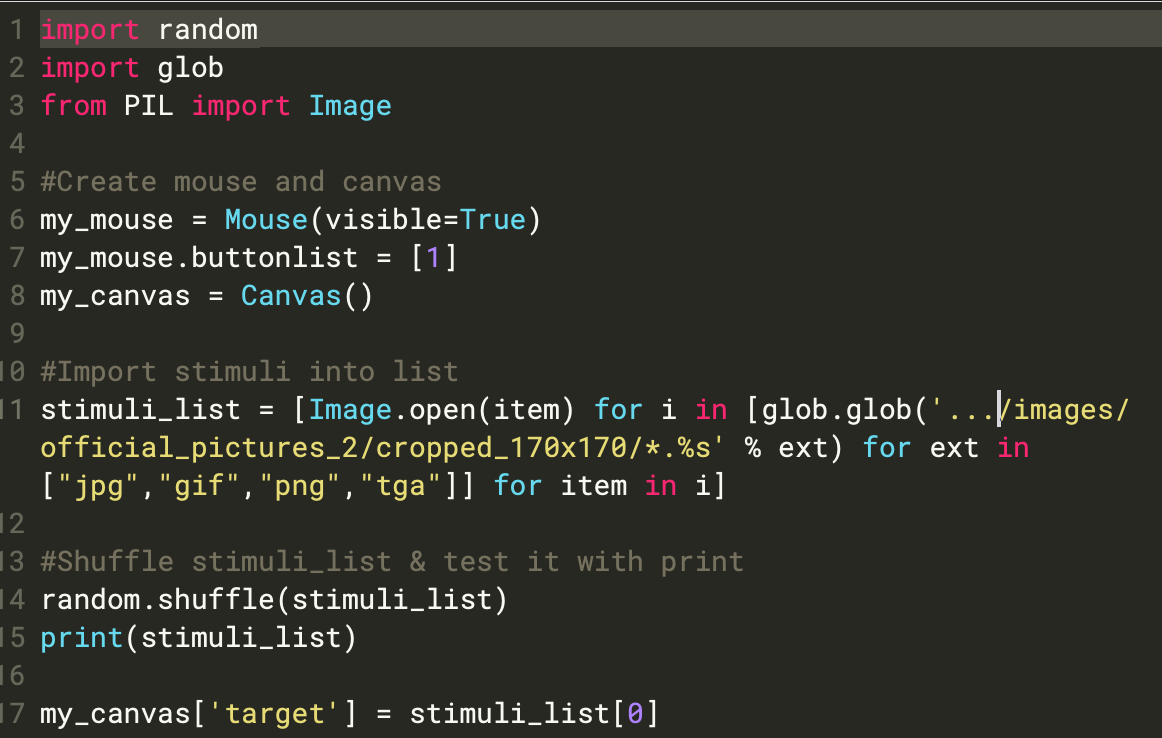
Unfortunately, this results in the error message:
TypeError: target is not a canvas element but <class 'PIL.PngImagePlugin.PngImageFile'>
Does anyone know how I could try and solve this error?
Thanks
Comments
Hi @Annarasumanara ,
You're using
PIL.Image.open()to read the images. This is a function from the PIL library and results in a special kind of object that OpenSesame doesn't recognize. To read an image as a canvas element, you need to use theImage()function (see here), which is a built-in function in OpenSesame. In your case, you simply need to replace:By:
Hope this helps!
— Sebastiaan
Check out SigmundAI.eu for our OpenSesame AI assistant!